> ## Documentation Index
> Fetch the complete documentation index at: https://extension.js.org/llms.txt
> Use this file to discover all available pages before exploring further.
# Web-accessible resources 與建置期合併
> 只開放網頁需要的擴充功能資產。Extension.js 會自動把使用者宣告的 web_accessible_resources 與建置時的需求合併。
只開放網頁或外部擴充功能情境必須存取的擴充功能資產。
Extension.js 會把使用者宣告的 `web_accessible_resources` 與建置時發現的需求合併,並套用對應目標的 manifest 標準化。
## 範本範例
### `content`
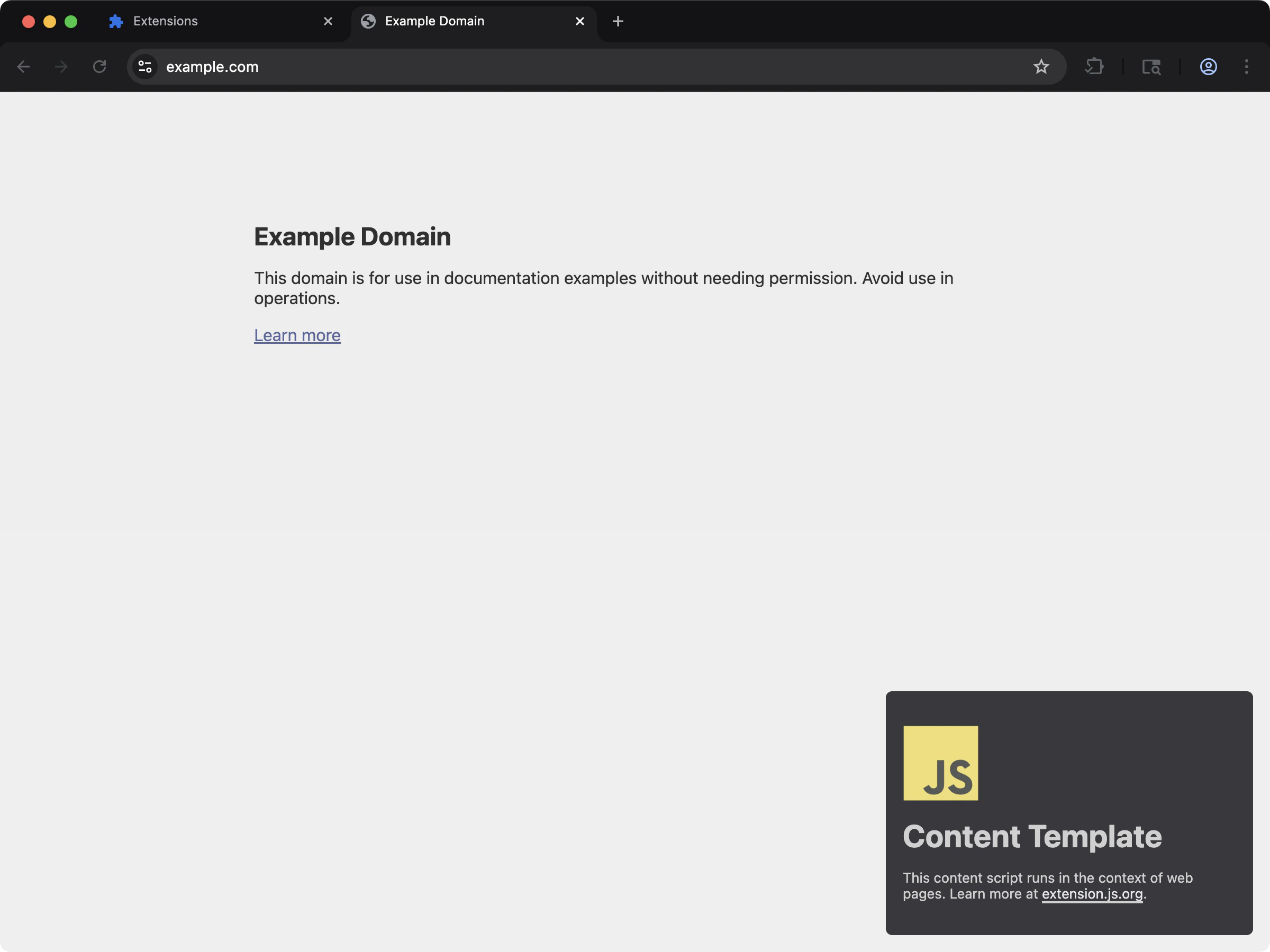 Content script 使用 web-accessible resources 把樣式與資產注入頁面。
```bash npm theme={null}
npx extension@latest create my-extension --template=content
```
```bash pnpm theme={null}
pnpx extension@latest create my-extension --template=content
```
```bash yarn theme={null}
yarn dlx extension@latest create my-extension --template=content
```
```bash bun theme={null}
bunx extension@latest create my-extension --template=content
```
```bash bun theme={null}
bunx extension@latest create my-extension --template=content
```
儲存庫:[extension-js/examples/content](https://github.com/extension-js/examples/tree/main/examples/content)
## Web-accessible resource 能力
| 能力 | 你會獲得的成果 |
| ------------------------ | ---------------------------------------------------- |
| Manifest V2/V3 schema 處理 | 依 manifest 版本處理陣列與物件兩種 `web_accessible_resources` 形態 |
| 具備建置感知的合併 | 把宣告的資源與建置/執行階段必要的進入點合併 |
| 路徑標準化 | 把 WAR(web-accessible resource)路徑解析到對應瀏覽器目標的正確輸出位置 |
| 安全控制面 | 以 `resources` 與 `matches` 明確管理存取規則 |
## Manifest schema
### Manifest V3
```json theme={null}
{
"web_accessible_resources": [
{
"resources": ["images/*.png", "fonts/*.woff2"],
"matches": [""]
}
]
}
```
### Manifest V2
```json theme={null}
{
"web_accessible_resources": ["images/*.png", "scripts/*.js", "styles/*.css"]
}
```
## `manifest.json` 範例
如果你透過受支援的 content script 或建置路徑 import 資產,Extension.js 會自動加入必要的 WAR 進入點。如果網頁需要直接存取特定資產,請手動宣告這些資源。
```json theme={null}
{
"manifest_version": 3,
"name": "My Extension",
"version": "1.0.0",
"web_accessible_resources": [
{
"resources": ["images/*.png", "scripts/*.js", "styles/*.css"],
"matches": [""]
}
],
"content_scripts": [
{
"matches": ["https://example.com/*"],
"css": ["styles/content.css"],
"js": ["scripts/content.js"]
}
]
}
```
## Extension.js 會自動加上什麼
當執行階段需要某些資產被頁面存取時,Extension.js 可以從建置輸出擴充 WAR 進入點。
常見例子包含:
* 被 content script import 的資產。
* Content script 的 CSS 輸出。
* 上述進入點所引用的字型或靜態資產。
* 重新載入行為所需的開發期執行階段支援。
自動納入很方便,但你仍應檢視最終開放給網頁的資產集合。
## 開發行為
* 在開發期,Extension.js 會修補 WAR 進入點以支援重新載入與 hot module replacement(HMR)的資產存取。
* Extension.js 可在需要時自動把與 content script 相關的資產納入 WAR。
* Extension.js 會把路徑標準化,移除 `public/` 前綴與開頭的 `/`,以產生輸出安全的路徑。
## 輸出與解析注意事項
* Extension.js 會透過 public 資產流程複製 `public/` 中的資源,你也可以從擴充功能根路徑宣告它們。
* 相對的 WAR 資源路徑會從 manifest 資料夾解析。
* 你可以使用 glob,但 match pattern 必須對目標瀏覽器有效。
* Extension.js 會在標準化時捨棄沒有 `resources` 的 Manifest V3(MV3)進入點。
* Extension.js 會原樣保留 glob,不會展開成明確的檔案列表。
## 執行階段使用
使用瀏覽器執行階段的 URL 輔助函式,而不要手動建立擴充功能 URL:
```ts theme={null}
const logoUrl = chrome.runtime.getURL("/images/logo.png");
```
如果頁面或 content script 無法讀取你預期可存取的資產,請檢查:
1. 該資產是否真的存在於輸出中。
2. WAR 進入點是否暴露了正確的 `resources`。
3. `matches` 範圍是否包含正在嘗試讀取它的頁面。
4. 該資產是否其實應該只保留給擴充功能頁面私用。
## 最佳實務
* 把 WAR 進入點保持最少;只開放外部情境必須讀取的內容。
* 為了更好的安全性,優先使用明確的資源路徑,而不是寬鬆的 glob。
* 在 Chromium 與 Firefox 目標間驗證 WAR 的 match pattern 與資源路徑。
* 使用 `chrome.runtime.getURL()`/`browser.runtime.getURL()` 建立執行階段安全的 URL。
* 在加入 content script import、字型或頁面可存取的靜態資產後,重新審視 WAR。
### 安全檢查清單
* 把 `matches` 範圍限制在實際需要存取的網域。
* 當小型明確列表足夠時,避免使用寬鬆的萬用字元資源 glob。
* 讓 WAR 進入點聚焦在不敏感的資產。
* 在新增 content script import 或執行階段資產查找時,重新審視 WAR。
### 範圍恰當 vs 過於寬鬆的範例
```json theme={null}
{
"web_accessible_resources": [
{
"resources": ["images/logo.png", "fonts/inter.woff2"],
"matches": ["https://example.com/*"]
}
]
}
```
```json theme={null}
{
"web_accessible_resources": [
{
"resources": ["*"],
"matches": [""]
}
]
}
```
## 後續步驟
* 在 [dev 更新行為](/docs/workflows/dev-update-behavior)中了解更新結果。
* 進一步了解 [Special folders](/docs/features/special-folders)。
* 繼續閱讀[指令參考](/docs/commands/dev)。
Content script 使用 web-accessible resources 把樣式與資產注入頁面。
```bash npm theme={null}
npx extension@latest create my-extension --template=content
```
```bash pnpm theme={null}
pnpx extension@latest create my-extension --template=content
```
```bash yarn theme={null}
yarn dlx extension@latest create my-extension --template=content
```
```bash bun theme={null}
bunx extension@latest create my-extension --template=content
```
```bash bun theme={null}
bunx extension@latest create my-extension --template=content
```
儲存庫:[extension-js/examples/content](https://github.com/extension-js/examples/tree/main/examples/content)
## Web-accessible resource 能力
| 能力 | 你會獲得的成果 |
| ------------------------ | ---------------------------------------------------- |
| Manifest V2/V3 schema 處理 | 依 manifest 版本處理陣列與物件兩種 `web_accessible_resources` 形態 |
| 具備建置感知的合併 | 把宣告的資源與建置/執行階段必要的進入點合併 |
| 路徑標準化 | 把 WAR(web-accessible resource)路徑解析到對應瀏覽器目標的正確輸出位置 |
| 安全控制面 | 以 `resources` 與 `matches` 明確管理存取規則 |
## Manifest schema
### Manifest V3
```json theme={null}
{
"web_accessible_resources": [
{
"resources": ["images/*.png", "fonts/*.woff2"],
"matches": [""]
}
]
}
```
### Manifest V2
```json theme={null}
{
"web_accessible_resources": ["images/*.png", "scripts/*.js", "styles/*.css"]
}
```
## `manifest.json` 範例
如果你透過受支援的 content script 或建置路徑 import 資產,Extension.js 會自動加入必要的 WAR 進入點。如果網頁需要直接存取特定資產,請手動宣告這些資源。
```json theme={null}
{
"manifest_version": 3,
"name": "My Extension",
"version": "1.0.0",
"web_accessible_resources": [
{
"resources": ["images/*.png", "scripts/*.js", "styles/*.css"],
"matches": [""]
}
],
"content_scripts": [
{
"matches": ["https://example.com/*"],
"css": ["styles/content.css"],
"js": ["scripts/content.js"]
}
]
}
```
## Extension.js 會自動加上什麼
當執行階段需要某些資產被頁面存取時,Extension.js 可以從建置輸出擴充 WAR 進入點。
常見例子包含:
* 被 content script import 的資產。
* Content script 的 CSS 輸出。
* 上述進入點所引用的字型或靜態資產。
* 重新載入行為所需的開發期執行階段支援。
自動納入很方便,但你仍應檢視最終開放給網頁的資產集合。
## 開發行為
* 在開發期,Extension.js 會修補 WAR 進入點以支援重新載入與 hot module replacement(HMR)的資產存取。
* Extension.js 可在需要時自動把與 content script 相關的資產納入 WAR。
* Extension.js 會把路徑標準化,移除 `public/` 前綴與開頭的 `/`,以產生輸出安全的路徑。
## 輸出與解析注意事項
* Extension.js 會透過 public 資產流程複製 `public/` 中的資源,你也可以從擴充功能根路徑宣告它們。
* 相對的 WAR 資源路徑會從 manifest 資料夾解析。
* 你可以使用 glob,但 match pattern 必須對目標瀏覽器有效。
* Extension.js 會在標準化時捨棄沒有 `resources` 的 Manifest V3(MV3)進入點。
* Extension.js 會原樣保留 glob,不會展開成明確的檔案列表。
## 執行階段使用
使用瀏覽器執行階段的 URL 輔助函式,而不要手動建立擴充功能 URL:
```ts theme={null}
const logoUrl = chrome.runtime.getURL("/images/logo.png");
```
如果頁面或 content script 無法讀取你預期可存取的資產,請檢查:
1. 該資產是否真的存在於輸出中。
2. WAR 進入點是否暴露了正確的 `resources`。
3. `matches` 範圍是否包含正在嘗試讀取它的頁面。
4. 該資產是否其實應該只保留給擴充功能頁面私用。
## 最佳實務
* 把 WAR 進入點保持最少;只開放外部情境必須讀取的內容。
* 為了更好的安全性,優先使用明確的資源路徑,而不是寬鬆的 glob。
* 在 Chromium 與 Firefox 目標間驗證 WAR 的 match pattern 與資源路徑。
* 使用 `chrome.runtime.getURL()`/`browser.runtime.getURL()` 建立執行階段安全的 URL。
* 在加入 content script import、字型或頁面可存取的靜態資產後,重新審視 WAR。
### 安全檢查清單
* 把 `matches` 範圍限制在實際需要存取的網域。
* 當小型明確列表足夠時,避免使用寬鬆的萬用字元資源 glob。
* 讓 WAR 進入點聚焦在不敏感的資產。
* 在新增 content script import 或執行階段資產查找時,重新審視 WAR。
### 範圍恰當 vs 過於寬鬆的範例
```json theme={null}
{
"web_accessible_resources": [
{
"resources": ["images/logo.png", "fonts/inter.woff2"],
"matches": ["https://example.com/*"]
}
]
}
```
```json theme={null}
{
"web_accessible_resources": [
{
"resources": ["*"],
"matches": [""]
}
]
}
```
## 後續步驟
* 在 [dev 更新行為](/docs/workflows/dev-update-behavior)中了解更新結果。
* 進一步了解 [Special folders](/docs/features/special-folders)。
* 繼續閱讀[指令參考](/docs/commands/dev)。