> ## Documentation Index
> Fetch the complete documentation index at: https://extension.js.org/llms.txt
> Use this file to discover all available pages before exploring further.
# Locale 與國際化
> 用 _locales 處理出貨已在地化的擴充功能中繼資料與 UI 字串。Extension.js 會在每次建置時探索、驗證並輸出 locale JSON。
Extension.js 會在你的 manifest 旁邊探索 locale 檔案,並驗證每個被宣告的 locale 都有 `messages.json`。它會把 locale JSON 資產輸出到對應瀏覽器的 build。在開發期間,它能在不重新啟動的情況下捕捉任何 locale 檔案的編輯。
## 範本範例
### `action-locales`
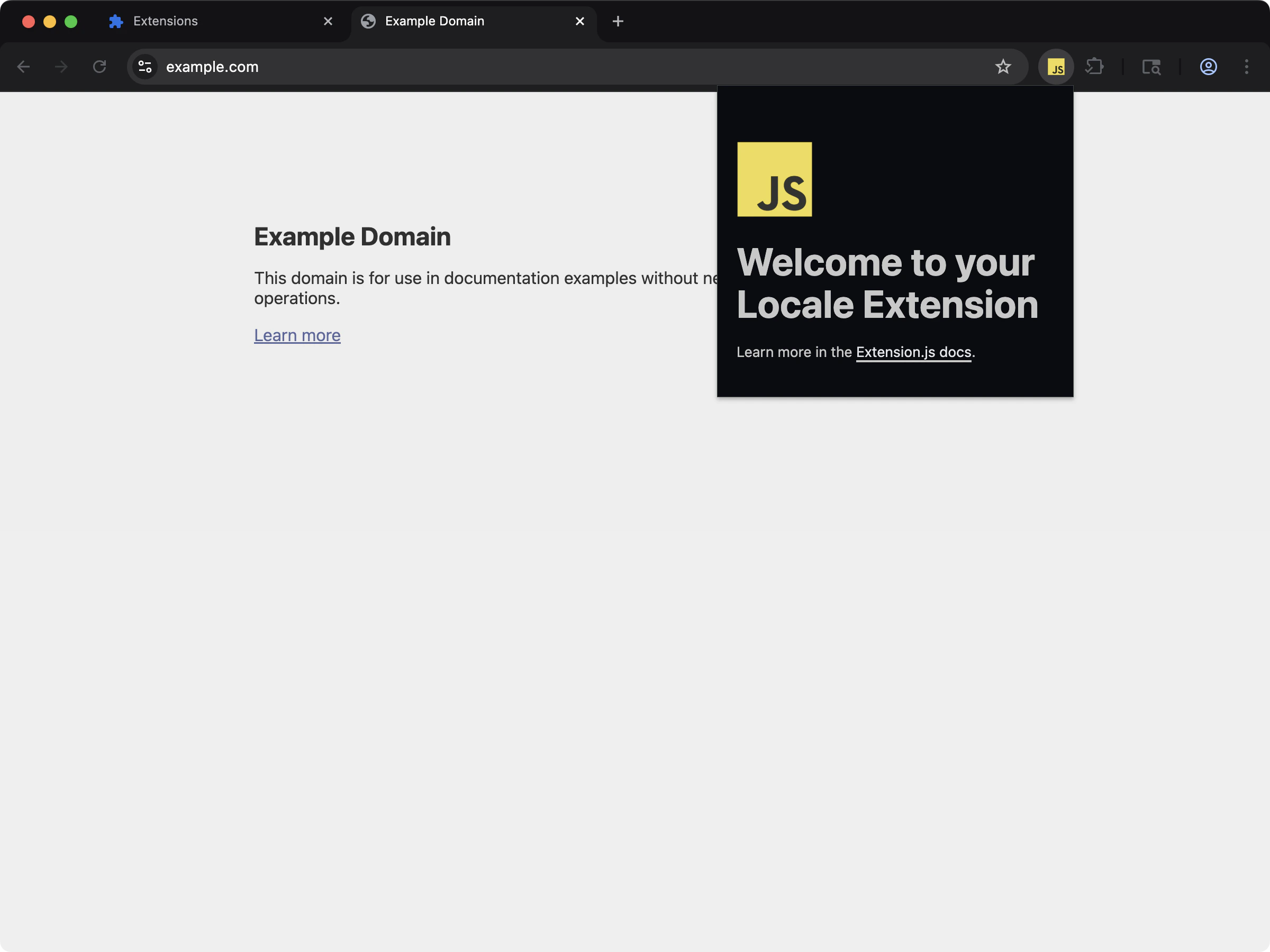 透過 `_locales` 支援查看已在地化的擴充功能中繼資料與 UI 字串。
```bash npm theme={null}
npx extension@latest create my-extension --template=action-locales
```
```bash pnpm theme={null}
pnpx extension@latest create my-extension --template=action-locales
```
```bash yarn theme={null}
yarn dlx extension@latest create my-extension --template=action-locales
```
```bash bun theme={null}
bunx extension@latest create my-extension --template=action-locales
```
```bash bun theme={null}
bunx extension@latest create my-extension --template=action-locales
```
儲存庫:[extension-js/examples/action-locales](https://github.com/extension-js/examples/tree/main/examples/action-locales)
## Locale 能力
| 能力 | 你會獲得的成果 |
| ------------ | ------------------------------------------------- |
| Locale 探索 | 從 manifest 位置偵測 `_locales//messages.json` |
| 驗證 | 捕捉缺少的預設 locale 檔案與無法解析的 `__MSG_*__` 鍵 |
| Build 輸出對應 | 以預期的擴充功能輸出結構輸出 locale 檔案 |
| 開發期 watch 支援 | 在 locale 檔案變更時於開發期重新載入 |
## 預期結構
```plaintext theme={null}
manifest.json
_locales/
en/
messages.json
fr/
messages.json
```
`manifest.json` 中的 `default_locale` 應對應到一個既存的 `_locales//messages.json`。
## 在 `manifest.json` 中宣告 locale 的範例
以下示範如何在 `manifest.json` 中宣告 locale:
```json theme={null}
{
"manifest_version": 3,
"name": "My Extension",
"version": "1.0.0",
"default_locale": "en",
"description": "__MSG_extension_description__"
}
```
然後你會在 `_locales` 資料夾中為每個 locale 放置對應的 JSON 檔案:
```plaintext theme={null}
_locales/
└── en/
└── messages.json
```
## `messages.json` 檔案範例
翻譯用的 `messages.json` 檔案範例:
```json theme={null}
{
"extension_name": {
"message": "My Extension"
},
"extension_description": {
"message": "This is a localized description of my extension."
}
}
```
## 輸出路徑
Extension.js 會把 locale JSON 檔案輸出到:
```plaintext theme={null}
_locales//messages.json
```
## 開發行為
* Extension.js 把 locale JSON 檔案加入編譯相依,並監看它們。
* Locale 變更會觸發擴充功能重新載入行為(hard reload),而不是元件式的 hot module replacement(HMR)。
* 當必要的 locale 檔案缺失或無效時,Extension.js 會提出帶有可採取行動的診斷訊息並讓驗證失敗。
## 驗證行為
Extension.js 會驗證:
* 當專案使用 `_locales` 時,`default_locale` 是否存在
* `_locales//messages.json` 是否存在
* Locale 檔案的 JSON 是否有效
* Manifest 中的 `__MSG_*__` 參考是否對應到預設 locale 的鍵
### 排除缺少的 locale 鍵
如果你的 manifest 使用 `__MSG_extension_description__`,請確保預設 locale 檔案包含 `extension_description`:
```json theme={null}
{
"extension_description": {
"message": "Localized extension description"
}
}
```
如果預設 locale 沒有定義該鍵,Extension.js 會顯示診斷訊息說明這個不一致。
## 最佳實務
* 跨 locale 維持 `messages.json` 的鍵一致。
* 先更新預設 locale,再把鍵傳播到其他 locale。
* 在持續整合(CI)中驗證 locale JSON,以在打包前抓出格式錯誤的檔案。
* 把 locale 檔案放在 manifest 附近(`manifestDir/_locales`),以維持可預期的解析。
## 後續步驟
* 在 [dev 更新行為](/docs/workflows/dev-update-behavior)中了解更新結果。
* 繼續閱讀[開發中的 JSON](/docs/implementation-guide/json)。
* 進一步了解 [manifest 開發行為](/docs/implementation-guide/manifest-json)。
透過 `_locales` 支援查看已在地化的擴充功能中繼資料與 UI 字串。
```bash npm theme={null}
npx extension@latest create my-extension --template=action-locales
```
```bash pnpm theme={null}
pnpx extension@latest create my-extension --template=action-locales
```
```bash yarn theme={null}
yarn dlx extension@latest create my-extension --template=action-locales
```
```bash bun theme={null}
bunx extension@latest create my-extension --template=action-locales
```
```bash bun theme={null}
bunx extension@latest create my-extension --template=action-locales
```
儲存庫:[extension-js/examples/action-locales](https://github.com/extension-js/examples/tree/main/examples/action-locales)
## Locale 能力
| 能力 | 你會獲得的成果 |
| ------------ | ------------------------------------------------- |
| Locale 探索 | 從 manifest 位置偵測 `_locales//messages.json` |
| 驗證 | 捕捉缺少的預設 locale 檔案與無法解析的 `__MSG_*__` 鍵 |
| Build 輸出對應 | 以預期的擴充功能輸出結構輸出 locale 檔案 |
| 開發期 watch 支援 | 在 locale 檔案變更時於開發期重新載入 |
## 預期結構
```plaintext theme={null}
manifest.json
_locales/
en/
messages.json
fr/
messages.json
```
`manifest.json` 中的 `default_locale` 應對應到一個既存的 `_locales//messages.json`。
## 在 `manifest.json` 中宣告 locale 的範例
以下示範如何在 `manifest.json` 中宣告 locale:
```json theme={null}
{
"manifest_version": 3,
"name": "My Extension",
"version": "1.0.0",
"default_locale": "en",
"description": "__MSG_extension_description__"
}
```
然後你會在 `_locales` 資料夾中為每個 locale 放置對應的 JSON 檔案:
```plaintext theme={null}
_locales/
└── en/
└── messages.json
```
## `messages.json` 檔案範例
翻譯用的 `messages.json` 檔案範例:
```json theme={null}
{
"extension_name": {
"message": "My Extension"
},
"extension_description": {
"message": "This is a localized description of my extension."
}
}
```
## 輸出路徑
Extension.js 會把 locale JSON 檔案輸出到:
```plaintext theme={null}
_locales//messages.json
```
## 開發行為
* Extension.js 把 locale JSON 檔案加入編譯相依,並監看它們。
* Locale 變更會觸發擴充功能重新載入行為(hard reload),而不是元件式的 hot module replacement(HMR)。
* 當必要的 locale 檔案缺失或無效時,Extension.js 會提出帶有可採取行動的診斷訊息並讓驗證失敗。
## 驗證行為
Extension.js 會驗證:
* 當專案使用 `_locales` 時,`default_locale` 是否存在
* `_locales//messages.json` 是否存在
* Locale 檔案的 JSON 是否有效
* Manifest 中的 `__MSG_*__` 參考是否對應到預設 locale 的鍵
### 排除缺少的 locale 鍵
如果你的 manifest 使用 `__MSG_extension_description__`,請確保預設 locale 檔案包含 `extension_description`:
```json theme={null}
{
"extension_description": {
"message": "Localized extension description"
}
}
```
如果預設 locale 沒有定義該鍵,Extension.js 會顯示診斷訊息說明這個不一致。
## 最佳實務
* 跨 locale 維持 `messages.json` 的鍵一致。
* 先更新預設 locale,再把鍵傳播到其他 locale。
* 在持續整合(CI)中驗證 locale JSON,以在打包前抓出格式錯誤的檔案。
* 把 locale 檔案放在 manifest 附近(`manifestDir/_locales`),以維持可預期的解析。
## 後續步驟
* 在 [dev 更新行為](/docs/workflows/dev-update-behavior)中了解更新結果。
* 繼續閱讀[開發中的 JSON](/docs/implementation-guide/json)。
* 進一步了解 [manifest 開發行為](/docs/implementation-guide/manifest-json)。