> ## Documentation Index
> Fetch the complete documentation index at: https://extension.js.org/llms.txt
> Use this file to discover all available pages before exploring further.
# Background script 與 MV3 service worker
> 用 MV2 background script 或 MV3 service worker 執行擴充功能邏輯。Extension.js 會從 manifest.json 編譯進入點,並套用重新載入行為。
在背景情境中執行擴充功能全域邏輯,並明確支援 Manifest V2(MV2)background script 與 Manifest V3(MV3)service worker。
Extension.js 從 `manifest.json` 讀取 background 進入點,並將其編譯為專屬的 background 輸出。在開發期間它會套用對應瀏覽器的重新載入行為。
## 範本範例
### `action`
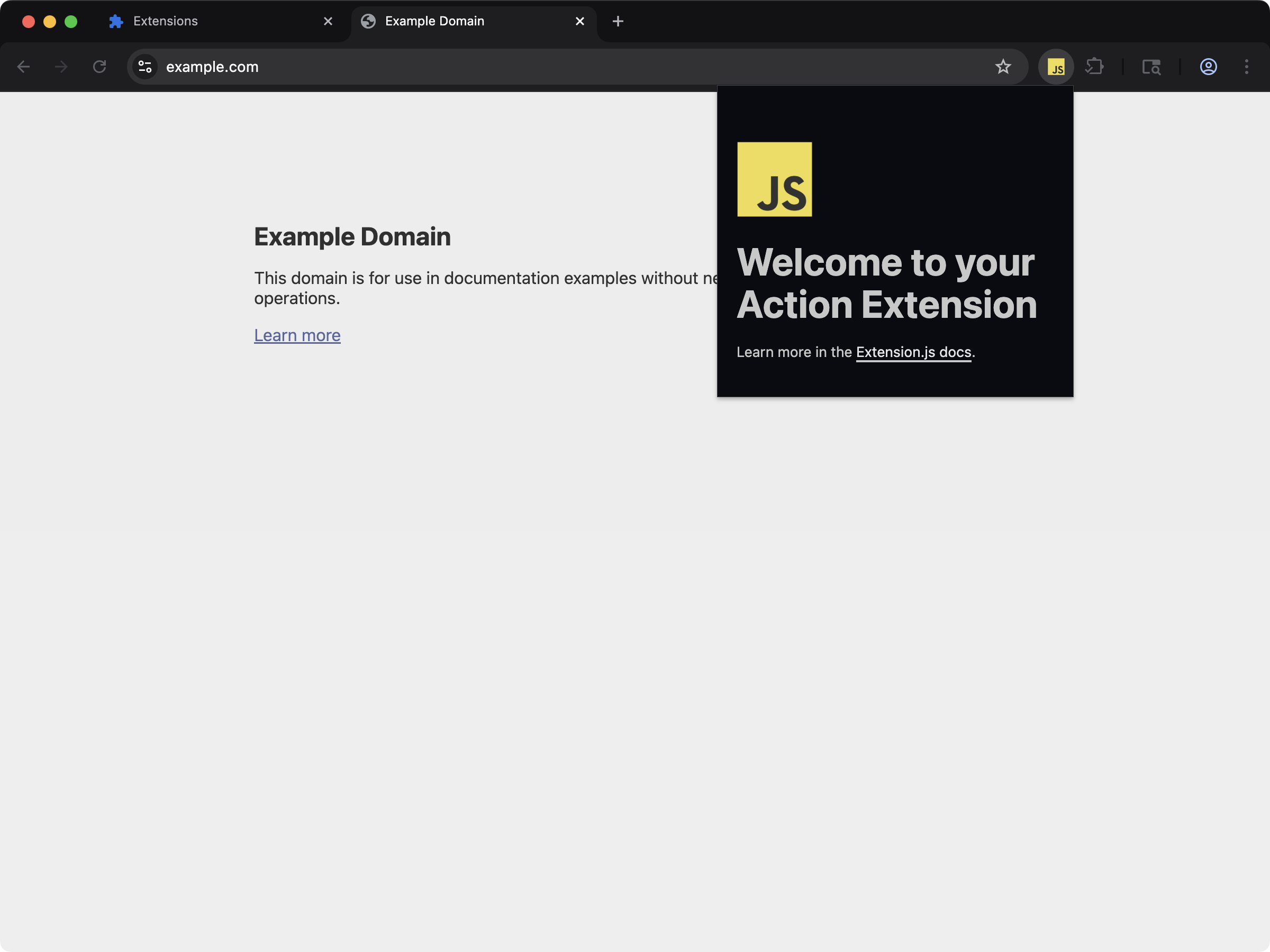 帶有 popup 並使用背景 service worker 處理瀏覽器事件的 action 擴充功能。
```bash npm theme={null}
npx extension@latest create my-extension --template=action
```
```bash pnpm theme={null}
pnpx extension@latest create my-extension --template=action
```
```bash yarn theme={null}
yarn dlx extension@latest create my-extension --template=action
```
```bash bun theme={null}
bunx extension@latest create my-extension --template=action
```
```bash bun theme={null}
bunx extension@latest create my-extension --template=action
```
儲存庫:[extension-js/examples/action](https://github.com/extension-js/examples/tree/main/examples/action)
### `action-chatgpt`
帶有 popup 並使用背景 service worker 處理瀏覽器事件的 action 擴充功能。
```bash npm theme={null}
npx extension@latest create my-extension --template=action
```
```bash pnpm theme={null}
pnpx extension@latest create my-extension --template=action
```
```bash yarn theme={null}
yarn dlx extension@latest create my-extension --template=action
```
```bash bun theme={null}
bunx extension@latest create my-extension --template=action
```
```bash bun theme={null}
bunx extension@latest create my-extension --template=action
```
儲存庫:[extension-js/examples/action](https://github.com/extension-js/examples/tree/main/examples/action)
### `action-chatgpt`
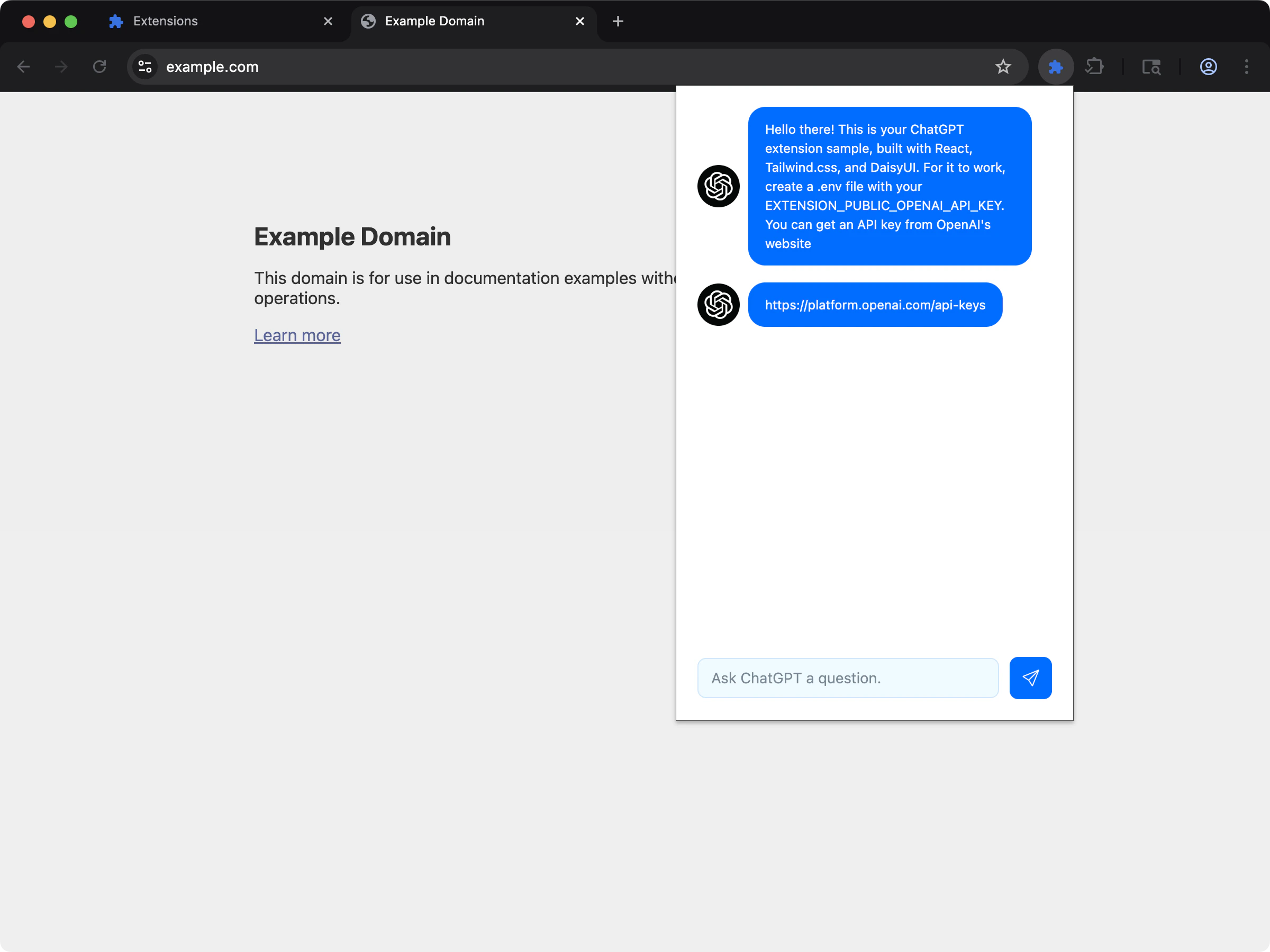 帶有 popup 並用背景 service worker 串接外部 API(ChatGPT)。
```bash npm theme={null}
npx extension@latest create my-extension --template=action-chatgpt
```
```bash pnpm theme={null}
pnpx extension@latest create my-extension --template=action-chatgpt
```
```bash yarn theme={null}
yarn dlx extension@latest create my-extension --template=action-chatgpt
```
```bash bun theme={null}
bunx extension@latest create my-extension --template=action-chatgpt
```
```bash bun theme={null}
bunx extension@latest create my-extension --template=action-chatgpt
```
儲存庫:[extension-js/examples/action-chatgpt](https://github.com/extension-js/examples/tree/main/examples/action-chatgpt)
## Background 能力
| 能力 | 你會獲得的成果 |
| ----------------- | --------------------------------------------------------- |
| MV2/MV3 相容性 | 支援 `background.scripts` 與 `background.service_worker` 進入點 |
| 專屬的 background 輸出 | 依目前生效的 manifest 形態輸出 background runtime 檔案 |
| 具重新載入感知的開發體驗 | 對結構性變更套用 hard reload/restart 行為 |
| Worker 模式控制 | 尊重 `background.type` 的 module 或 classic runtime 行為 |
## Background script 支援
在 `manifest.json` 中以下列欄位宣告 background script:
| Manifest 欄位 | 預期檔案類型 | 開發行為 |
| --------------------------- | ---------------------------- | ---------------------------------- |
| `background.service_worker` | `.js`, `.ts`, `.mjs`, `.tsx` | hard reload 流程 |
| `background.scripts` | `.js`, `.ts`, `.mjs`, `.tsx` | 可走 hot module replacement(HMR)相容路徑 |
`background.type` 也會影響執行模式(`module` 與 classic service worker 行為的差異)。
## Background script 宣告範例
在 `manifest.json` 中宣告 background script 的範例:
```json theme={null}
{
"manifest_version": 3,
"name": "My Extension",
"version": "1.0.0",
"background": {
"service_worker": "./scripts/background.ts"
}
}
```
## 開發行為
* Extension.js 追蹤 service worker/原始碼變更,並可觸發整個擴充功能的 hard reload。
* 影響 background 進入點的 manifest 變更會觸發「需要重新啟動」的診斷訊息。
* 啟動瀏覽器的 plugin 會套用對應平台(Chromium/Firefox)的 hard reload 策略。
* Extension.js 對結構性進入點變更的處理比一般模組編輯更嚴格。
## Firefox:service worker 轉譯為 event page
Firefox 不會執行 MV3 的 `background.service_worker`(載入此類擴充功能時會顯示 *"background.service\_worker is currently disabled. Add background.scripts."*)。你不需要特別處理:在 Firefox build 中,Extension.js 會自動把 `background.service_worker` 進入點翻譯成 `background.scripts` 的 event page,並指向同一個編譯後的 bundle。撰寫一個 `background.service_worker`,就能同時在 Chromium 與 Firefox 上載入。
## MV3 service worker 生命週期
`background.service_worker` 依瀏覽器的 service worker 生命週期執行,不是長期執行的常駐程序。
這意味著:
* 記憶體中的狀態可能會在事件之間消失。
* 設計長時間執行的工作時,要以事件為核心,而不是以程序常駐為前提。
* 啟動流程要保持輕量、可預測。
* 你的程式碼應該從 storage 還原重要狀態,或以安全方式重新計算。
只在 MV2 風格的相容性情境中使用 `background.scripts`。對於以 MV3 為主的擴充功能,請把 service worker 當成瀏覽器 API 呼叫與跨情境通訊的中央協調者。
## 輸出行為
常見的輸出包含:
* `background/service_worker.js`
* `background/scripts.js`
實際輸出取決於瀏覽器過濾後仍然生效的 manifest 欄位。
## Module 與 classic 注意事項
* `background.type: "module"` 採用 module worker 語義。
* Classic service worker 模式採用基於 `importScripts` 的 chunk 載入行為。
* 避免在 background 程式碼中使用動態 import,尤其是必須在啟動時立即載入的部分。
## 建議的架構
* 讓 background 進入點保持精簡,把功能邏輯放到共用模組。
* 把 background 情境當成 messaging、storage 存取與瀏覽器 API 呼叫的中央協調者。
* 從 storage 還原持久狀態,不要假設 background script 會永久執行。
* 使用 alarms、明確的事件監聽器與小型功能模組,而不是一條龐大的啟動路徑。
## 常見錯誤
* 把 service worker 當成永久執行的伺服器程序。
* 把關鍵狀態只保存在記憶體裡。
* 在每次事件喚醒時都做沉重的啟動工作。
* 把太多功能邏輯放在 popup 或 content script,但實際上需要的是 background 等級的瀏覽器 API 存取。
## 最佳實務
* 以 MV3 為主的擴充功能優先採用 `background.service_worker`。
* 讓 background 進入檔案保持小巧,把邏輯委派給共用模組。
* 避免在 service worker 中做沉重的啟動工作;在安全的情況下採用延遲初始化。
* 在開發流程中,把 manifest 中 background 欄位的編輯視為結構性變更。
* 經由通過驗證的訊息處理器來路由特權動作。
* 把持久設定與快取放到瀏覽器 storage,而不是只放在模組層級變數中。
## 後續步驟
* 在 [dev 更新行為](/docs/workflows/dev-update-behavior)中了解更新結果。
* 透過 [Storage](/docs/implementation-guide/storage) 保存持久的 runtime 狀態。
* 透過 [Messaging](/docs/implementation-guide/messaging) 協調各情境。
* 進一步了解[開發中的 JavaScript](/docs/implementation-guide/javascript)。
* 繼續閱讀 [content script](/docs/implementation-guide/content-scripts)。
* 在 [Manifest V3 疑難排解](/docs/concepts/manifest-v3)中排查 service worker 行為。
帶有 popup 並用背景 service worker 串接外部 API(ChatGPT)。
```bash npm theme={null}
npx extension@latest create my-extension --template=action-chatgpt
```
```bash pnpm theme={null}
pnpx extension@latest create my-extension --template=action-chatgpt
```
```bash yarn theme={null}
yarn dlx extension@latest create my-extension --template=action-chatgpt
```
```bash bun theme={null}
bunx extension@latest create my-extension --template=action-chatgpt
```
```bash bun theme={null}
bunx extension@latest create my-extension --template=action-chatgpt
```
儲存庫:[extension-js/examples/action-chatgpt](https://github.com/extension-js/examples/tree/main/examples/action-chatgpt)
## Background 能力
| 能力 | 你會獲得的成果 |
| ----------------- | --------------------------------------------------------- |
| MV2/MV3 相容性 | 支援 `background.scripts` 與 `background.service_worker` 進入點 |
| 專屬的 background 輸出 | 依目前生效的 manifest 形態輸出 background runtime 檔案 |
| 具重新載入感知的開發體驗 | 對結構性變更套用 hard reload/restart 行為 |
| Worker 模式控制 | 尊重 `background.type` 的 module 或 classic runtime 行為 |
## Background script 支援
在 `manifest.json` 中以下列欄位宣告 background script:
| Manifest 欄位 | 預期檔案類型 | 開發行為 |
| --------------------------- | ---------------------------- | ---------------------------------- |
| `background.service_worker` | `.js`, `.ts`, `.mjs`, `.tsx` | hard reload 流程 |
| `background.scripts` | `.js`, `.ts`, `.mjs`, `.tsx` | 可走 hot module replacement(HMR)相容路徑 |
`background.type` 也會影響執行模式(`module` 與 classic service worker 行為的差異)。
## Background script 宣告範例
在 `manifest.json` 中宣告 background script 的範例:
```json theme={null}
{
"manifest_version": 3,
"name": "My Extension",
"version": "1.0.0",
"background": {
"service_worker": "./scripts/background.ts"
}
}
```
## 開發行為
* Extension.js 追蹤 service worker/原始碼變更,並可觸發整個擴充功能的 hard reload。
* 影響 background 進入點的 manifest 變更會觸發「需要重新啟動」的診斷訊息。
* 啟動瀏覽器的 plugin 會套用對應平台(Chromium/Firefox)的 hard reload 策略。
* Extension.js 對結構性進入點變更的處理比一般模組編輯更嚴格。
## Firefox:service worker 轉譯為 event page
Firefox 不會執行 MV3 的 `background.service_worker`(載入此類擴充功能時會顯示 *"background.service\_worker is currently disabled. Add background.scripts."*)。你不需要特別處理:在 Firefox build 中,Extension.js 會自動把 `background.service_worker` 進入點翻譯成 `background.scripts` 的 event page,並指向同一個編譯後的 bundle。撰寫一個 `background.service_worker`,就能同時在 Chromium 與 Firefox 上載入。
## MV3 service worker 生命週期
`background.service_worker` 依瀏覽器的 service worker 生命週期執行,不是長期執行的常駐程序。
這意味著:
* 記憶體中的狀態可能會在事件之間消失。
* 設計長時間執行的工作時,要以事件為核心,而不是以程序常駐為前提。
* 啟動流程要保持輕量、可預測。
* 你的程式碼應該從 storage 還原重要狀態,或以安全方式重新計算。
只在 MV2 風格的相容性情境中使用 `background.scripts`。對於以 MV3 為主的擴充功能,請把 service worker 當成瀏覽器 API 呼叫與跨情境通訊的中央協調者。
## 輸出行為
常見的輸出包含:
* `background/service_worker.js`
* `background/scripts.js`
實際輸出取決於瀏覽器過濾後仍然生效的 manifest 欄位。
## Module 與 classic 注意事項
* `background.type: "module"` 採用 module worker 語義。
* Classic service worker 模式採用基於 `importScripts` 的 chunk 載入行為。
* 避免在 background 程式碼中使用動態 import,尤其是必須在啟動時立即載入的部分。
## 建議的架構
* 讓 background 進入點保持精簡,把功能邏輯放到共用模組。
* 把 background 情境當成 messaging、storage 存取與瀏覽器 API 呼叫的中央協調者。
* 從 storage 還原持久狀態,不要假設 background script 會永久執行。
* 使用 alarms、明確的事件監聽器與小型功能模組,而不是一條龐大的啟動路徑。
## 常見錯誤
* 把 service worker 當成永久執行的伺服器程序。
* 把關鍵狀態只保存在記憶體裡。
* 在每次事件喚醒時都做沉重的啟動工作。
* 把太多功能邏輯放在 popup 或 content script,但實際上需要的是 background 等級的瀏覽器 API 存取。
## 最佳實務
* 以 MV3 為主的擴充功能優先採用 `background.service_worker`。
* 讓 background 進入檔案保持小巧,把邏輯委派給共用模組。
* 避免在 service worker 中做沉重的啟動工作;在安全的情況下採用延遲初始化。
* 在開發流程中,把 manifest 中 background 欄位的編輯視為結構性變更。
* 經由通過驗證的訊息處理器來路由特權動作。
* 把持久設定與快取放到瀏覽器 storage,而不是只放在模組層級變數中。
## 後續步驟
* 在 [dev 更新行為](/docs/workflows/dev-update-behavior)中了解更新結果。
* 透過 [Storage](/docs/implementation-guide/storage) 保存持久的 runtime 狀態。
* 透過 [Messaging](/docs/implementation-guide/messaging) 協調各情境。
* 進一步了解[開發中的 JavaScript](/docs/implementation-guide/javascript)。
* 繼續閱讀 [content script](/docs/implementation-guide/content-scripts)。
* 在 [Manifest V3 疑難排解](/docs/concepts/manifest-v3)中排查 service worker 行為。