> ## Documentation Index
> Fetch the complete documentation index at: https://extension.js.org/llms.txt
> Use this file to discover all available pages before exploring further.
# Content script、HMR 与 manifest 入口
> 用 content script 构建与页面集成的功能。Extension.js 编译 manifest 入口、为 HMR 包装它们,并输出可预期的产物。
构建与页面集成的扩展功能,同时保持可靠的 JS 与 CSS 更新开发循环。
Extension.js 从 `manifest.json` 编译 content script 入口,并为运行时挂载与热模块替换(HMR)行为包装它们,生成可预测的 `content_scripts/*` 产物。
## Content script 能力
| 能力 | 你会得到什么 |
| ------------------------ | ----------------------------------------------------------- |
| 由 manifest 驱动的入口 | 直接从 manifest 编译 JS/CSS content script 列表 |
| 开发期重新挂载流程 | 通过 wrapper 驱动的行为快速更新脚本/样式 |
| 支持 MAIN 与 isolated world | 使用 MAIN world(页面 JavaScript 上下文)或 isolated world(沙箱化的扩展上下文) |
| 可预测的产物布局 | 输出归一化的 `content_scripts/*` 产物 |
## 模板示例
### `content`
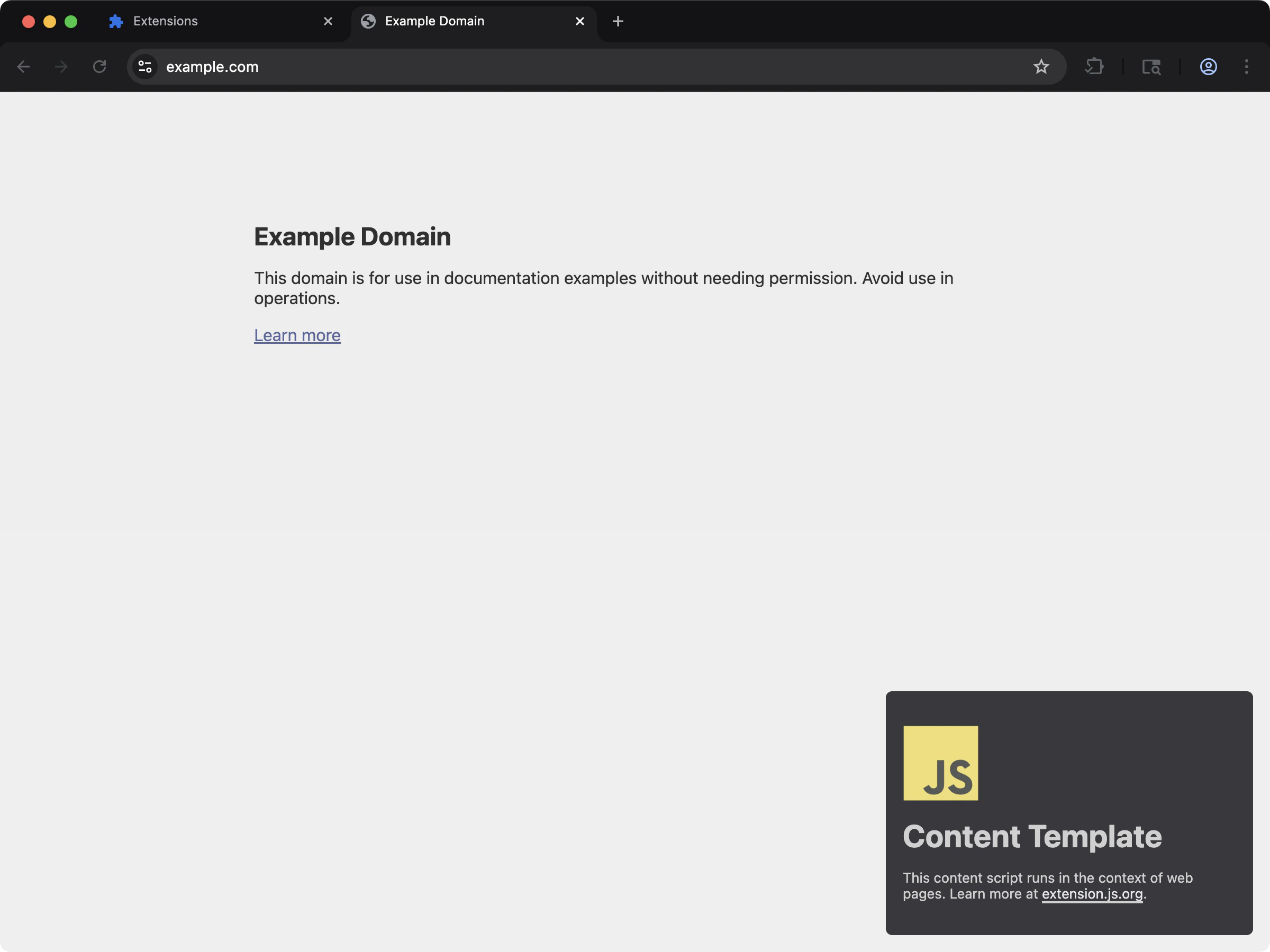 使用原生 JS 的最简 content script 设置。
```bash npm theme={null}
npx extension@latest create my-extension --template=content
```
```bash pnpm theme={null}
pnpx extension@latest create my-extension --template=content
```
```bash yarn theme={null}
yarn dlx extension@latest create my-extension --template=content
```
```bash bun theme={null}
bunx extension@latest create my-extension --template=content
```
```bash bun theme={null}
bunx extension@latest create my-extension --template=content
```
仓库:[extension-js/examples/content](https://github.com/extension-js/examples/tree/main/examples/content)
### `content-react`
使用原生 JS 的最简 content script 设置。
```bash npm theme={null}
npx extension@latest create my-extension --template=content
```
```bash pnpm theme={null}
pnpx extension@latest create my-extension --template=content
```
```bash yarn theme={null}
yarn dlx extension@latest create my-extension --template=content
```
```bash bun theme={null}
bunx extension@latest create my-extension --template=content
```
```bash bun theme={null}
bunx extension@latest create my-extension --template=content
```
仓库:[extension-js/examples/content](https://github.com/extension-js/examples/tree/main/examples/content)
### `content-react`
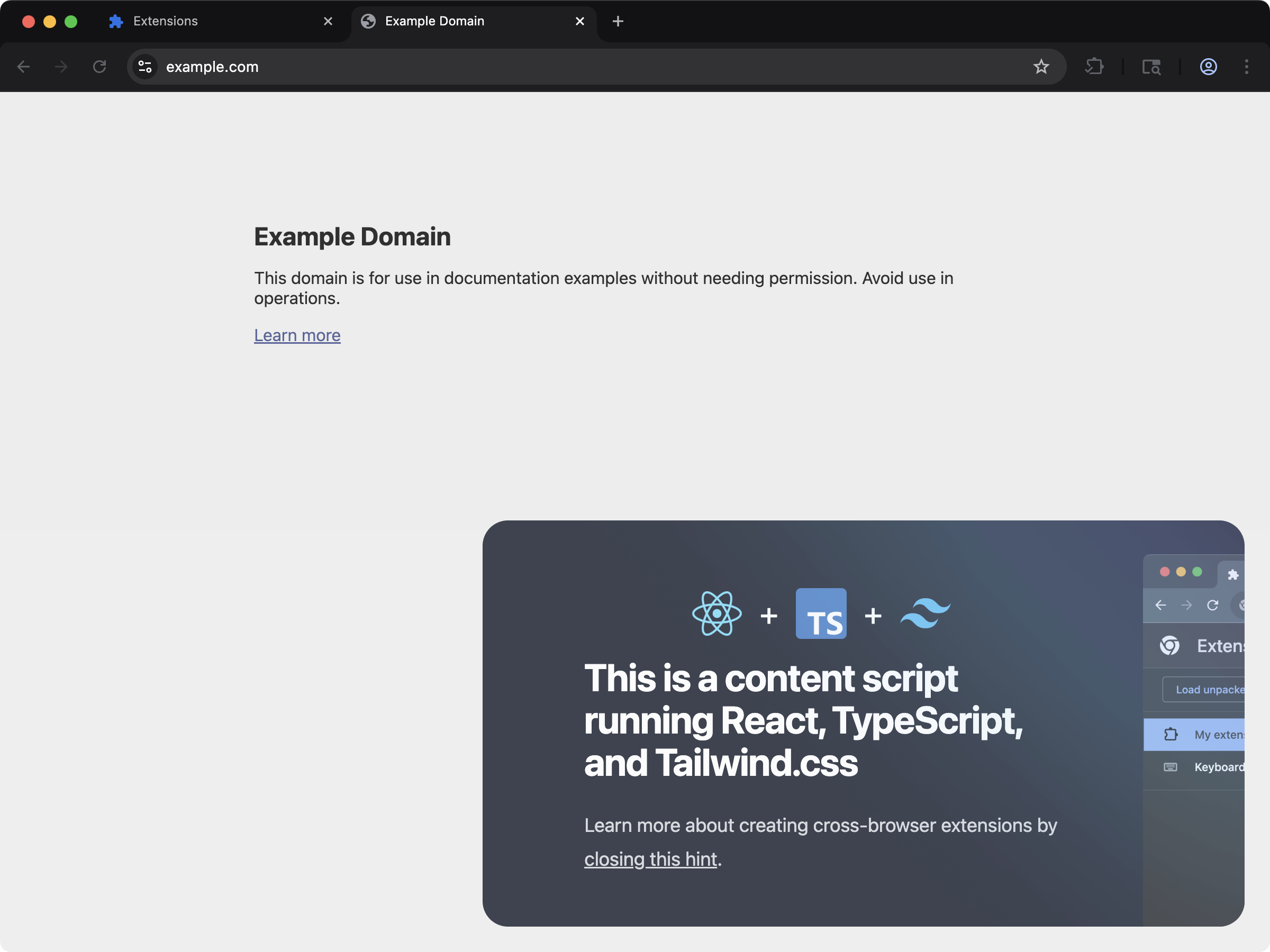 通过 content script 将基于 React 的 UI 注入网页。
```bash npm theme={null}
npx extension@latest create my-extension --template=content-react
```
```bash pnpm theme={null}
pnpx extension@latest create my-extension --template=content-react
```
```bash yarn theme={null}
yarn dlx extension@latest create my-extension --template=content-react
```
```bash bun theme={null}
bunx extension@latest create my-extension --template=content-react
```
```bash bun theme={null}
bunx extension@latest create my-extension --template=content-react
```
仓库:[extension-js/examples/content-react](https://github.com/extension-js/examples/tree/main/examples/content-react)
## 支持的 manifest 字段
| Manifest 字段 | 期望的文件类型 |
| --------------------- | -------------------------------- |
| `content_scripts.js` | `.js`、`.jsx`、`.ts`、`.tsx`、`.mjs` |
| `content_scripts.css` | `.css`、`.scss`、`.sass`、`.less` |
## Content script 声明示例
`manifest.json` 中的 content script 声明示例:
```json theme={null}
{
"manifest_version": 3,
"name": "My Extension",
"version": "1.0.0",
"content_scripts": [
{
"matches": [""],
"js": ["./scripts/content-script.ts"],
"css": ["./styles/content-style.css"]
}
]
}
```
## 编写契约
对每一个类 content script 入口,Extension.js 期望一个挂载风格的默认导出。这是一个函数,用来设置行为,可选地返回一个清理回调:
* 模块应该 `export default` 一个同步函数。
* 该函数应执行设置工作。
* 它可以返回一个同步的清理回调。
* Extension.js 不支持以类作为默认导出。
这适用于:
* 被 `manifest.json > content_scripts[*].js` 引用的文件。
* 你放在项目 `scripts/` 文件夹中并用作脚本入口的文件。
### 合法的形式
```ts theme={null}
export default function main() {
return () => {};
}
```
```ts theme={null}
const main = () => {};
export default main;
```
### 不合法的形式
```ts theme={null}
export default class App {}
```
```ts theme={null}
export default {};
```
### 异步 content script 的建议
即使功能内部要做异步工作,默认导出也应保持同步。在函数内部开始异步工作,并返回一个同步的清理函数。
为什么重要:在开发期间,Extension.js 会重新挂载 content script。如果没有清理函数,你可能会复制出多个 UI、事件监听器、观察者和定时器。
## 违反契约时会发生什么
* 没有默认导出:Extension.js 在开发期发出警告并跳过挂载。
* 默认导出不是函数:Extension.js 在开发期发出警告并跳过挂载。
* 默认导出返回了 Promise:模块仍然运行,但 Extension.js 不会把那个 `Promise` 当作清理函数。
如果你的 content script 看起来能编译但从不挂载,先检查默认导出。
## 运行时 wrapper 行为
* Extension.js 用挂载/运行时辅助逻辑包装 content script 模块。
* 在开发模式下,Extension.js 会添加 HMR 的 accept/dispose 行为和重新挂载流程。
* 在开发期,CSS 更新会触发重新挂载事件(`__EXTENSIONJS_CSS_UPDATE__`)。
* Extension.js 会遵循 manifest 中的 `run_at` 时机。
## 多入口 content script
你可以在同一份 manifest 中声明多个 content script 入口。每个入口都使用自己的匹配模式、运行时机和 world 设置独立编译。
### `content-multi-one-entry`
通过 content script 将基于 React 的 UI 注入网页。
```bash npm theme={null}
npx extension@latest create my-extension --template=content-react
```
```bash pnpm theme={null}
pnpx extension@latest create my-extension --template=content-react
```
```bash yarn theme={null}
yarn dlx extension@latest create my-extension --template=content-react
```
```bash bun theme={null}
bunx extension@latest create my-extension --template=content-react
```
```bash bun theme={null}
bunx extension@latest create my-extension --template=content-react
```
仓库:[extension-js/examples/content-react](https://github.com/extension-js/examples/tree/main/examples/content-react)
## 支持的 manifest 字段
| Manifest 字段 | 期望的文件类型 |
| --------------------- | -------------------------------- |
| `content_scripts.js` | `.js`、`.jsx`、`.ts`、`.tsx`、`.mjs` |
| `content_scripts.css` | `.css`、`.scss`、`.sass`、`.less` |
## Content script 声明示例
`manifest.json` 中的 content script 声明示例:
```json theme={null}
{
"manifest_version": 3,
"name": "My Extension",
"version": "1.0.0",
"content_scripts": [
{
"matches": [""],
"js": ["./scripts/content-script.ts"],
"css": ["./styles/content-style.css"]
}
]
}
```
## 编写契约
对每一个类 content script 入口,Extension.js 期望一个挂载风格的默认导出。这是一个函数,用来设置行为,可选地返回一个清理回调:
* 模块应该 `export default` 一个同步函数。
* 该函数应执行设置工作。
* 它可以返回一个同步的清理回调。
* Extension.js 不支持以类作为默认导出。
这适用于:
* 被 `manifest.json > content_scripts[*].js` 引用的文件。
* 你放在项目 `scripts/` 文件夹中并用作脚本入口的文件。
### 合法的形式
```ts theme={null}
export default function main() {
return () => {};
}
```
```ts theme={null}
const main = () => {};
export default main;
```
### 不合法的形式
```ts theme={null}
export default class App {}
```
```ts theme={null}
export default {};
```
### 异步 content script 的建议
即使功能内部要做异步工作,默认导出也应保持同步。在函数内部开始异步工作,并返回一个同步的清理函数。
为什么重要:在开发期间,Extension.js 会重新挂载 content script。如果没有清理函数,你可能会复制出多个 UI、事件监听器、观察者和定时器。
## 违反契约时会发生什么
* 没有默认导出:Extension.js 在开发期发出警告并跳过挂载。
* 默认导出不是函数:Extension.js 在开发期发出警告并跳过挂载。
* 默认导出返回了 Promise:模块仍然运行,但 Extension.js 不会把那个 `Promise` 当作清理函数。
如果你的 content script 看起来能编译但从不挂载,先检查默认导出。
## 运行时 wrapper 行为
* Extension.js 用挂载/运行时辅助逻辑包装 content script 模块。
* 在开发模式下,Extension.js 会添加 HMR 的 accept/dispose 行为和重新挂载流程。
* 在开发期,CSS 更新会触发重新挂载事件(`__EXTENSIONJS_CSS_UPDATE__`)。
* Extension.js 会遵循 manifest 中的 `run_at` 时机。
## 多入口 content script
你可以在同一份 manifest 中声明多个 content script 入口。每个入口都使用自己的匹配模式、运行时机和 world 设置独立编译。
### `content-multi-one-entry`
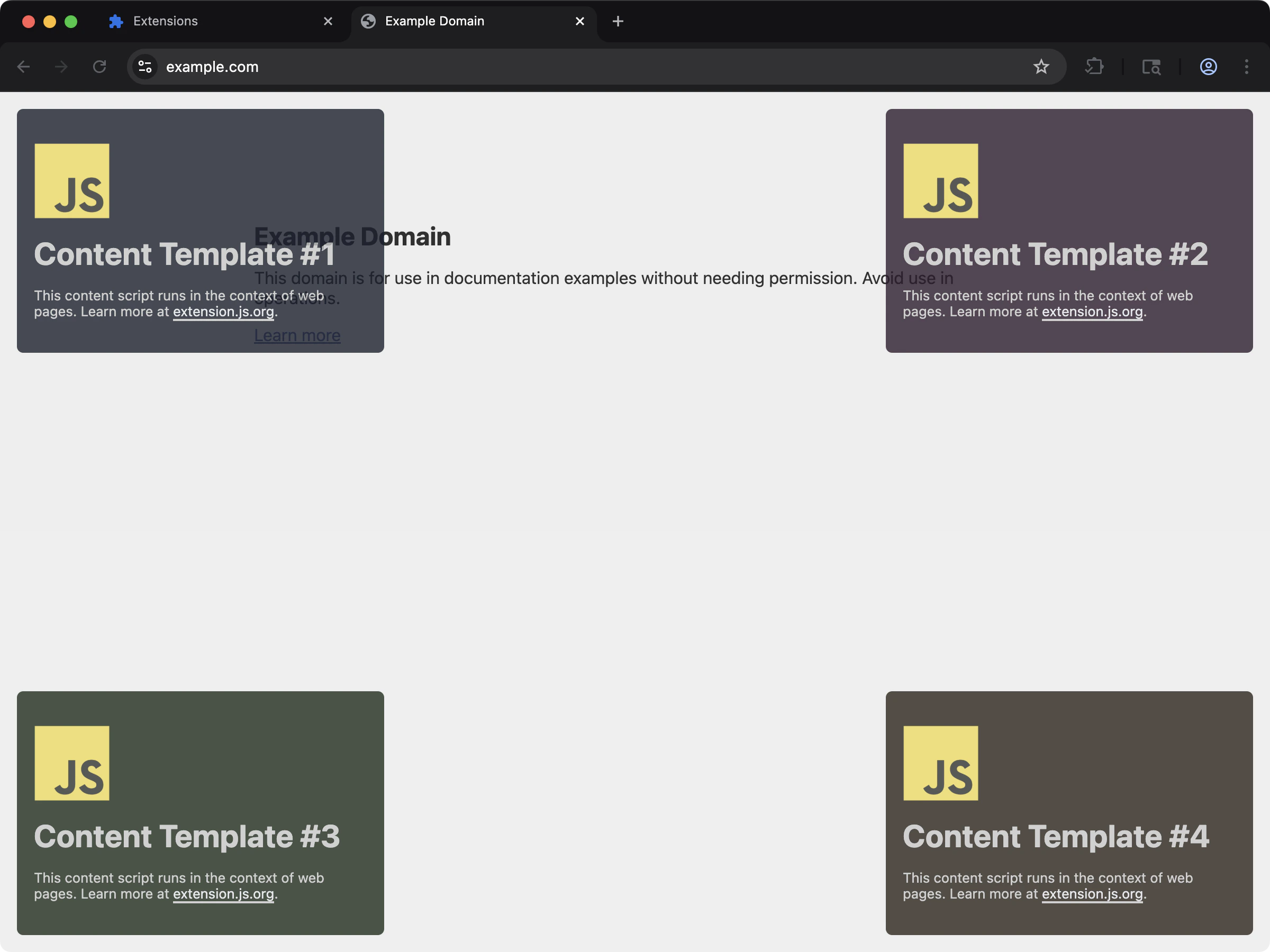 把多个 content script 打包在同一个 `content_scripts` manifest 入口下。
```bash npm theme={null}
npx extension@latest create my-extension --template=content-multi-one-entry
```
```bash pnpm theme={null}
pnpx extension@latest create my-extension --template=content-multi-one-entry
```
```bash yarn theme={null}
yarn dlx extension@latest create my-extension --template=content-multi-one-entry
```
```bash bun theme={null}
bunx extension@latest create my-extension --template=content-multi-one-entry
```
```bash bun theme={null}
bunx extension@latest create my-extension --template=content-multi-one-entry
```
仓库:[extension-js/examples/content-multi-one-entry](https://github.com/extension-js/examples/tree/main/examples/content-multi-one-entry)
### `content-multi-three-entries`
把多个 content script 打包在同一个 `content_scripts` manifest 入口下。
```bash npm theme={null}
npx extension@latest create my-extension --template=content-multi-one-entry
```
```bash pnpm theme={null}
pnpx extension@latest create my-extension --template=content-multi-one-entry
```
```bash yarn theme={null}
yarn dlx extension@latest create my-extension --template=content-multi-one-entry
```
```bash bun theme={null}
bunx extension@latest create my-extension --template=content-multi-one-entry
```
```bash bun theme={null}
bunx extension@latest create my-extension --template=content-multi-one-entry
```
仓库:[extension-js/examples/content-multi-one-entry](https://github.com/extension-js/examples/tree/main/examples/content-multi-one-entry)
### `content-multi-three-entries`
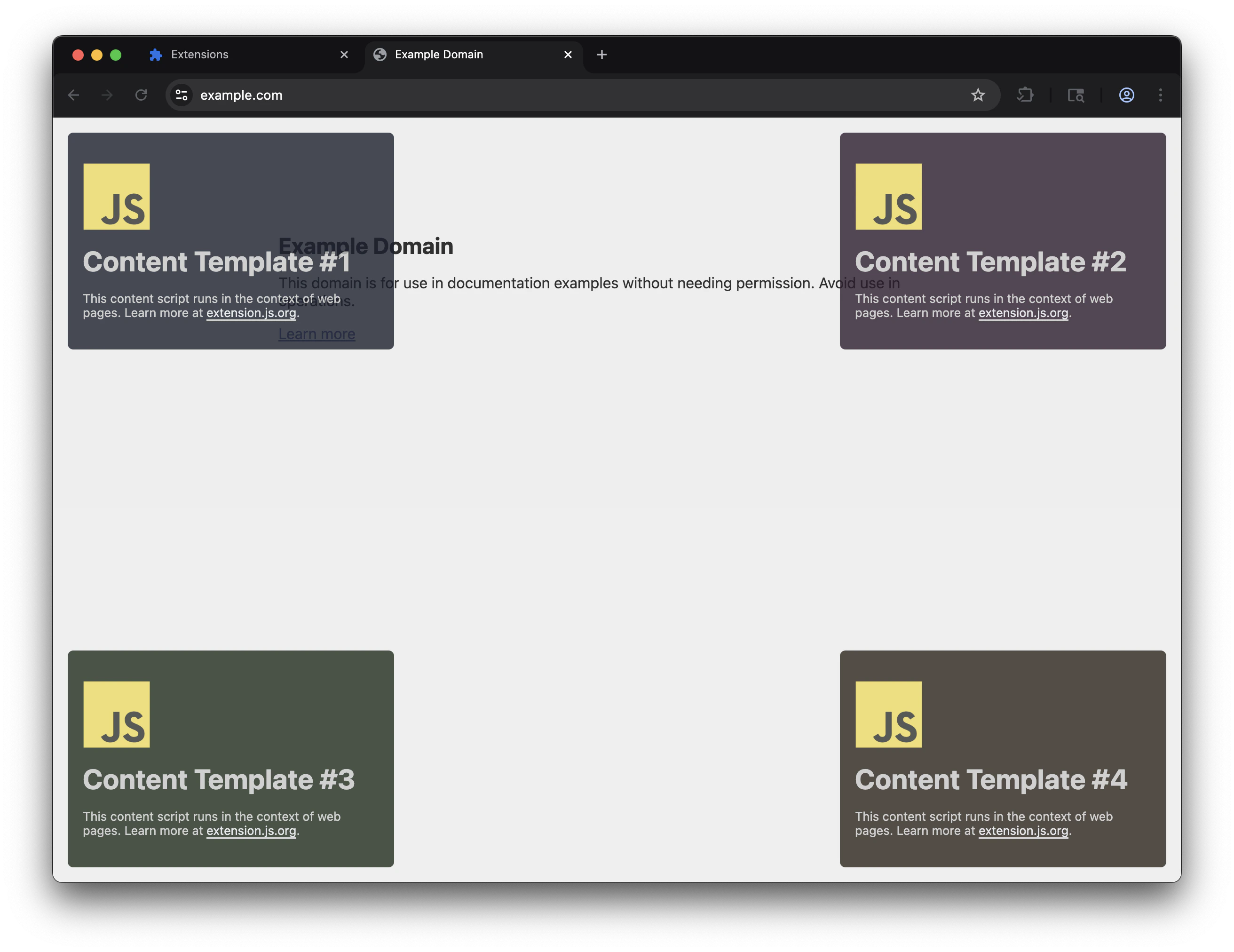 三个独立的 `content_scripts` manifest 入口,分别使用各自的匹配模式。
```bash npm theme={null}
npx extension@latest create my-extension --template=content-multi-three-entries
```
```bash pnpm theme={null}
pnpx extension@latest create my-extension --template=content-multi-three-entries
```
```bash yarn theme={null}
yarn dlx extension@latest create my-extension --template=content-multi-three-entries
```
```bash bun theme={null}
bunx extension@latest create my-extension --template=content-multi-three-entries
```
```bash bun theme={null}
bunx extension@latest create my-extension --template=content-multi-three-entries
```
仓库:[extension-js/examples/content-multi-three-entries](https://github.com/extension-js/examples/tree/main/examples/content-multi-three-entries)
## `scripts/` 文件夹的行为
`scripts/` 文件夹用于没有任何 HTML 页面入口声明的脚本入口。实际上,这些入口遵循与 content script 相同的默认导出模式。
也就是说,`scripts/` 并不是一个用来放置零散 JavaScript 文件的通用文件夹:
* 当脚本入口文件挂载行为时,仍然应该默认导出一个函数。
* 在监听模式下,Extension.js 会把 `scripts/` 下受支持文件的新增或删除视为结构性变更。
* 当入口集合发生变化时,Extension.js 可能要求重启开发服务器。
## 输出路径
Extension.js 按 manifest 入口的索引归一化 content script 产物:
```plaintext theme={null}
content_scripts/
├── content-0.js # production
├── content-0.abcd1234.js # development (hash-based cache busting)
├── content-0.css
└── ...
```
在 **开发模式** 下,content script 的 JS 文件名会包含一个短哈希后缀(例如 `content-0.abcd1234.js`)。这会迫使浏览器在每次重新构建后加载一个全新的 `chrome-extension://` URL。
Chrome 会激进地缓存扩展资源,因此该哈希可以避免读取到过时代码。生产构建则使用干净的 `content-0.js` 名称。
## MAIN world 注意事项
### `content-main-world`
通过一个能直接把 UI 注入到页面上下文的可用示例,体验 MAIN world content script:
```bash npm theme={null}
npx extension@latest create my-extension --template=content-main-world
```
```bash pnpm theme={null}
pnpx extension@latest create my-extension --template=content-main-world
```
```bash yarn theme={null}
yarn dlx extension@latest create my-extension --template=content-main-world
```
```bash bun theme={null}
bunx extension@latest create my-extension --template=content-main-world
```
```bash bun theme={null}
bunx extension@latest create my-extension --template=content-main-world
```
仓库:[extension-js/examples/content-main-world](https://github.com/extension-js/examples/tree/main/examples/content-main-world)
* **`world: "MAIN"` 仅支持 Chromium。** Firefox 不支持 `world` 字段并会忽略它。在 Firefox 上,你的脚本仍然运行在 isolated world 中。
* **跨浏览器的 MAIN world 行为:** 使用 `chromium:` manifest 前缀,仅为 Chromium 目标声明它,然后为 Firefox 提供一个 isolated world 回退。
* 在开发期,MAIN-world 脚本会使用内部桥接机制加载代码 chunk 并解析 public 路径。
* 在 MAIN world 中 **无法使用** 扩展 API(`chrome.runtime`、`chrome.storage` 等);你只能访问页面上下文中的全局对象。
* 把 MAIN world 当作高级路径对待。尽早在每个目标浏览器上验证行为。
### Isolated vs MAIN 快速示例
```json theme={null}
{
"content_scripts": [
{
"matches": [""],
"js": ["./scripts/isolated.ts"]
},
{
"matches": [""],
"js": ["./scripts/main-world.ts"],
"world": "MAIN"
}
]
}
```
默认使用 isolated world。只有在确实需要页面上下文访问时才使用 `MAIN`,并考虑扩展 API 与运行时方面的限制。
### 跨浏览器的 MAIN world 模式
使用 [浏览器特定前缀](/docs/features/browser-specific-fields) 仅为 Chromium 声明 MAIN world,并为 Firefox 提供 isolated 回退:
```json theme={null}
{
"content_scripts": [
{
"matches": [""],
"js": ["./scripts/isolated.ts"]
},
{
"matches": [""],
"chromium:js": ["./scripts/main-world.ts"],
"chromium:world": "MAIN"
}
]
}
```
Firefox 会完全跳过 `chromium:` 前缀的字段,因此只有 Chromium 目标会拿到 MAIN world 脚本。
## 匹配与执行建议
浏览器仍然控制 content script 在哪里运行。Extension.js 只负责打包文件,manifest 入口仍然决定脚本运行的时机与位置。
* 让 `matches` 尽量收窄到该功能确实需要的范围。
* 只有在功能确实需要时才添加 `exclude_matches`、`all_frames` 或 `match_about_blank`。
* 把 `run_at` 与 `world` 视为功能契约的一部分,而不是实现细节。
* 当 content script 的运行位置发生变化时,重新测试权限和主机权限的作用范围。
## 开发期行为
* 编辑 content script 代码通常会通过 wrapper 驱动的 HMR/重新挂载流程更新。
* 仅 CSS 的入口会获得开发辅助行为,让样式更新可以传播。
* 如果 manifest 中的 content script 入口列表发生变化,Extension.js 可能要求重启开发服务器。
## 最佳实践
* 让 content script 入口文件保持精简,把逻辑委派到共享模块。
* 仔细限定选择器/样式范围,避免与宿主页面冲突。
* 当行为依赖时机/上下文时,优先显式设置 `run_at` 和 `world`。
* 在开发流程中把 manifest 中 content script 列表的变更视为结构性变更。
* 通过经过校验的消息通信传递页面派生的数据,而不是直接在 content script 中执行特权工作。
* 默认使用 isolated world,只有在确实需要页面上下文时才切换到 `MAIN`。
## 下一步
* 在 [dev 更新行为](/docs/workflows/dev-update-behavior) 中了解更新结果。
* 用 [消息通信](/docs/implementation-guide/messaging) 设计跨上下文通信。
* 在 [权限与主机权限](/docs/implementation-guide/permissions-and-host-permissions) 中评估访问范围。
* 了解 [web-accessible 资源](/docs/implementation-guide/web-accessible-resources)。
* 继续阅读 [开发中的 locales](/docs/implementation-guide/locales)。
三个独立的 `content_scripts` manifest 入口,分别使用各自的匹配模式。
```bash npm theme={null}
npx extension@latest create my-extension --template=content-multi-three-entries
```
```bash pnpm theme={null}
pnpx extension@latest create my-extension --template=content-multi-three-entries
```
```bash yarn theme={null}
yarn dlx extension@latest create my-extension --template=content-multi-three-entries
```
```bash bun theme={null}
bunx extension@latest create my-extension --template=content-multi-three-entries
```
```bash bun theme={null}
bunx extension@latest create my-extension --template=content-multi-three-entries
```
仓库:[extension-js/examples/content-multi-three-entries](https://github.com/extension-js/examples/tree/main/examples/content-multi-three-entries)
## `scripts/` 文件夹的行为
`scripts/` 文件夹用于没有任何 HTML 页面入口声明的脚本入口。实际上,这些入口遵循与 content script 相同的默认导出模式。
也就是说,`scripts/` 并不是一个用来放置零散 JavaScript 文件的通用文件夹:
* 当脚本入口文件挂载行为时,仍然应该默认导出一个函数。
* 在监听模式下,Extension.js 会把 `scripts/` 下受支持文件的新增或删除视为结构性变更。
* 当入口集合发生变化时,Extension.js 可能要求重启开发服务器。
## 输出路径
Extension.js 按 manifest 入口的索引归一化 content script 产物:
```plaintext theme={null}
content_scripts/
├── content-0.js # production
├── content-0.abcd1234.js # development (hash-based cache busting)
├── content-0.css
└── ...
```
在 **开发模式** 下,content script 的 JS 文件名会包含一个短哈希后缀(例如 `content-0.abcd1234.js`)。这会迫使浏览器在每次重新构建后加载一个全新的 `chrome-extension://` URL。
Chrome 会激进地缓存扩展资源,因此该哈希可以避免读取到过时代码。生产构建则使用干净的 `content-0.js` 名称。
## MAIN world 注意事项
### `content-main-world`
通过一个能直接把 UI 注入到页面上下文的可用示例,体验 MAIN world content script:
```bash npm theme={null}
npx extension@latest create my-extension --template=content-main-world
```
```bash pnpm theme={null}
pnpx extension@latest create my-extension --template=content-main-world
```
```bash yarn theme={null}
yarn dlx extension@latest create my-extension --template=content-main-world
```
```bash bun theme={null}
bunx extension@latest create my-extension --template=content-main-world
```
```bash bun theme={null}
bunx extension@latest create my-extension --template=content-main-world
```
仓库:[extension-js/examples/content-main-world](https://github.com/extension-js/examples/tree/main/examples/content-main-world)
* **`world: "MAIN"` 仅支持 Chromium。** Firefox 不支持 `world` 字段并会忽略它。在 Firefox 上,你的脚本仍然运行在 isolated world 中。
* **跨浏览器的 MAIN world 行为:** 使用 `chromium:` manifest 前缀,仅为 Chromium 目标声明它,然后为 Firefox 提供一个 isolated world 回退。
* 在开发期,MAIN-world 脚本会使用内部桥接机制加载代码 chunk 并解析 public 路径。
* 在 MAIN world 中 **无法使用** 扩展 API(`chrome.runtime`、`chrome.storage` 等);你只能访问页面上下文中的全局对象。
* 把 MAIN world 当作高级路径对待。尽早在每个目标浏览器上验证行为。
### Isolated vs MAIN 快速示例
```json theme={null}
{
"content_scripts": [
{
"matches": [""],
"js": ["./scripts/isolated.ts"]
},
{
"matches": [""],
"js": ["./scripts/main-world.ts"],
"world": "MAIN"
}
]
}
```
默认使用 isolated world。只有在确实需要页面上下文访问时才使用 `MAIN`,并考虑扩展 API 与运行时方面的限制。
### 跨浏览器的 MAIN world 模式
使用 [浏览器特定前缀](/docs/features/browser-specific-fields) 仅为 Chromium 声明 MAIN world,并为 Firefox 提供 isolated 回退:
```json theme={null}
{
"content_scripts": [
{
"matches": [""],
"js": ["./scripts/isolated.ts"]
},
{
"matches": [""],
"chromium:js": ["./scripts/main-world.ts"],
"chromium:world": "MAIN"
}
]
}
```
Firefox 会完全跳过 `chromium:` 前缀的字段,因此只有 Chromium 目标会拿到 MAIN world 脚本。
## 匹配与执行建议
浏览器仍然控制 content script 在哪里运行。Extension.js 只负责打包文件,manifest 入口仍然决定脚本运行的时机与位置。
* 让 `matches` 尽量收窄到该功能确实需要的范围。
* 只有在功能确实需要时才添加 `exclude_matches`、`all_frames` 或 `match_about_blank`。
* 把 `run_at` 与 `world` 视为功能契约的一部分,而不是实现细节。
* 当 content script 的运行位置发生变化时,重新测试权限和主机权限的作用范围。
## 开发期行为
* 编辑 content script 代码通常会通过 wrapper 驱动的 HMR/重新挂载流程更新。
* 仅 CSS 的入口会获得开发辅助行为,让样式更新可以传播。
* 如果 manifest 中的 content script 入口列表发生变化,Extension.js 可能要求重启开发服务器。
## 最佳实践
* 让 content script 入口文件保持精简,把逻辑委派到共享模块。
* 仔细限定选择器/样式范围,避免与宿主页面冲突。
* 当行为依赖时机/上下文时,优先显式设置 `run_at` 和 `world`。
* 在开发流程中把 manifest 中 content script 列表的变更视为结构性变更。
* 通过经过校验的消息通信传递页面派生的数据,而不是直接在 content script 中执行特权工作。
* 默认使用 isolated world,只有在确实需要页面上下文时才切换到 `MAIN`。
## 下一步
* 在 [dev 更新行为](/docs/workflows/dev-update-behavior) 中了解更新结果。
* 用 [消息通信](/docs/implementation-guide/messaging) 设计跨上下文通信。
* 在 [权限与主机权限](/docs/implementation-guide/permissions-and-host-permissions) 中评估访问范围。
* 了解 [web-accessible 资源](/docs/implementation-guide/web-accessible-resources)。
* 继续阅读 [开发中的 locales](/docs/implementation-guide/locales)。