> ## Documentation Index
> Fetch the complete documentation index at: https://extension.js.org/llms.txt
> Use this file to discover all available pages before exploring further.
# shadcn/ui components in extensions
> Build extension UI with accessible shadcn/ui components in a Tailwind-enabled React setup. Reuse design primitives across popup and options pages.
shadcn/ui works inside an extension the same way it works in a web app, as long as your project uses a Tailwind-enabled React setup. Components live in your source tree (not `node_modules`), so you keep full control over styling and behavior.
## When shadcn/ui is a good fit
* You need reusable UI primitives across sidebar, popup, and options surfaces.
* You already use React + Tailwind in product code.
* You want source-owned components that your team can fully customize.
## shadcn/ui capabilities
| Capability | What it gives you |
| -------------------------- | ------------------------------------------------------------------- |
| Source-owned UI components | Keep generated `components/ui/*` files versioned in your project |
| React + Tailwind alignment | Use the same authoring model as modern web app stacks |
| Extension-surface reuse | Share component primitives across sidebar, popup, and options pages |
| Gradual adoption | Start from a template, then scale component coverage over time |
## Template examples
### Sidebar + shadcn/ui template
Use the `sidebar-shadcn` template as the default starting point:
```bash npm theme={null}
npx extension@latest create my-extension --template=sidebar-shadcn
```
```bash pnpm theme={null}
pnpx extension@latest create my-extension --template=sidebar-shadcn
```
```bash yarn theme={null}
yarn dlx extension@latest create my-extension --template=sidebar-shadcn
```
```bash bun theme={null}
bunx extension@latest create my-extension --template=sidebar-shadcn
```
```bash deno theme={null}
deno run -A npm:extension@latest create my-extension --template=sidebar-shadcn
```
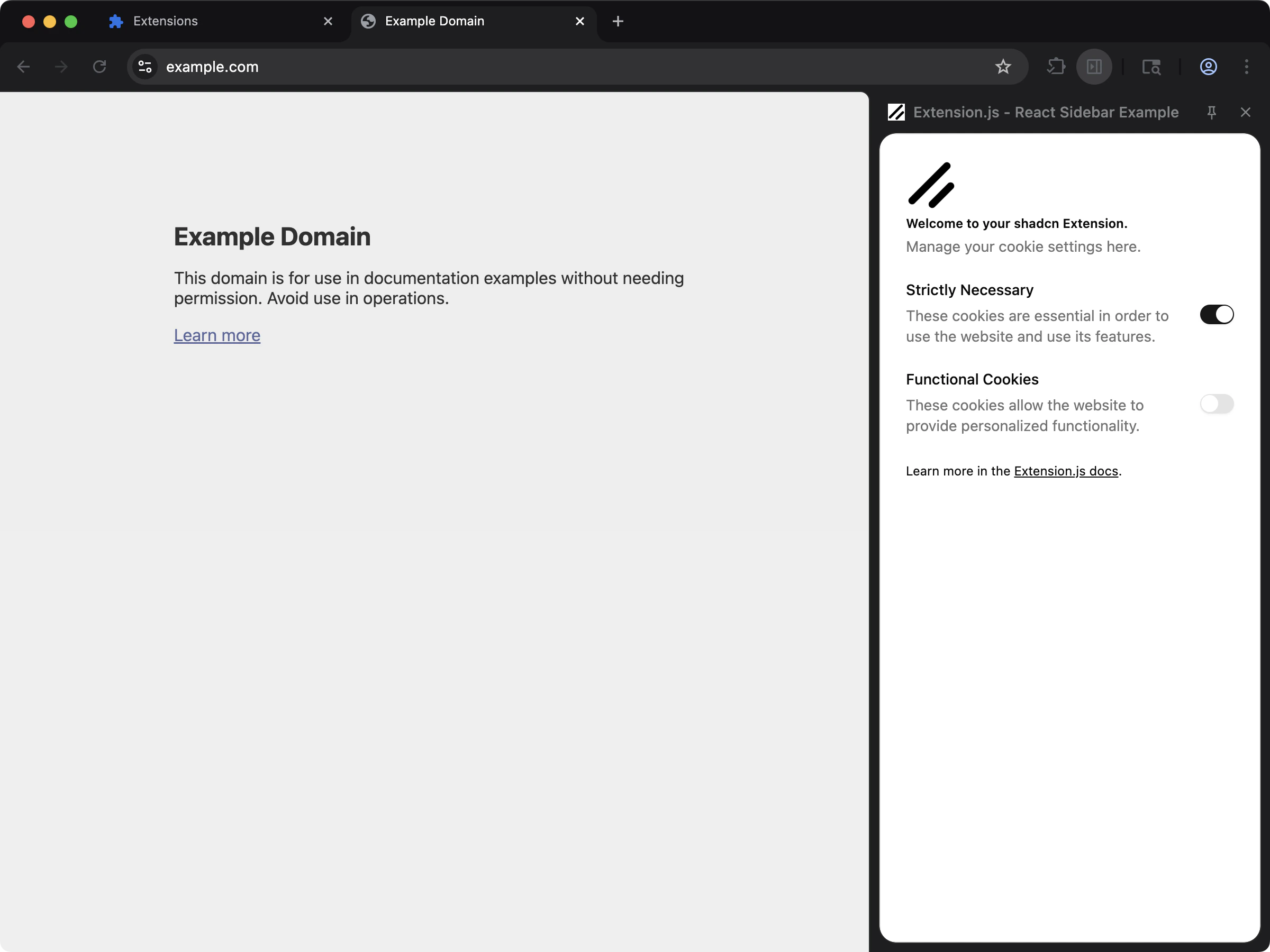
This template includes a working React sidebar UI with Tailwind + shadcn-style component structure.
Repository: [examples/sidebar-shadcn](https://github.com/extension-js/examples/tree/main/examples/sidebar-shadcn)
## Stack assumptions
* React + TypeScript
* Tailwind CSS
* PostCSS (`@tailwindcss/postcss`)
* Local `components/ui/*` component files (shadcn-style structure)
## Manual setup in an existing project
1. Set up Tailwind and PostCSS (see [Tailwind CSS](/docs/integrations/tailwindcss)).
2. Initialize shadcn in your project and generate components.
3. Keep generated UI components inside your extension source (for example, `src/components/ui/`).
4. Import your Tailwind stylesheet in the extension entry where UI renders.
### PostCSS example (Tailwind v4)
```js theme={null}
export default {
plugins: {
"@tailwindcss/postcss": {},
},
};
```
### Example `components.json`
```json theme={null}
{
"$schema": "https://ui.shadcn.com/schema.json",
"style": "new-york",
"tsx": true,
"tailwind": {
"css": "sidebar/styles.css",
"cssVariables": true
}
}
```
## Usage
Use generated components from local imports:
```tsx theme={null}
import { Button } from "@/components/ui/button";
import "./styles.css";
export default function MyComponent() {
return ;
}
```
## Content script notes
* Extension pages (popup/options/sidebar/new tab) are the easiest place to start with shadcn/ui.
* For content scripts, import your style entry in the content-script entrypoint.
* Extension.js emits content-script styles through its CSS pipeline, and they can still conflict with host page styles.
If you need stronger isolation for content scripts, mount your UI inside a Shadow DOM root (a browser API that encapsulates styles and markup). Scope your class names intentionally.
## Best practices
* Treat shadcn/ui as source-owned components, not a runtime UI package import.
* Keep Tailwind config/content paths aligned with your extension folders (`pages`, `scripts`, `src`).
* Start with one surface (like sidebar or popup) before adding content-script rendering complexity.
* Keep shared tokens and utility helpers in dedicated files (`lib/utils`, design tokens, theme variables).
## Next steps
* Set up [Tailwind CSS](/docs/integrations/tailwindcss) if you have not already.
* Add linting and formatting with [ESLint](/docs/integrations/eslint) and [Prettier](/docs/integrations/prettier).