> ## Documentation Index
> Fetch the complete documentation index at: https://extension.js.org/llms.txt
> Use this file to discover all available pages before exploring further.
# PostCSS in browser extensions
> Transform CSS across extension pages and content scripts with PostCSS plugins like Autoprefixer. Extension.js auto-detects your config and loader setup.
Transform CSS consistently across extension pages and content scripts with one pipeline. Use PostCSS when you need plugins like Autoprefixer or modern CSS transforms.
Extension.js detects PostCSS configuration and applies `postcss-loader` when needed.
## When PostCSS is a good fit
* You need autoprefixing or modern CSS transforms in extension styles.
* You want one CSS transform pipeline across popup/options/sidebar/content scripts.
* You are using Tailwind or plugin-based style processing.
## PostCSS capabilities
| Capability | What it gives you |
| ------------------------- | --------------------------------------------------------------------------- |
| Shared CSS pipeline | Use the same transforms across popup, options, new tab, and content scripts |
| Flexible config discovery | Load PostCSS config from dedicated files or `package.json` |
| Tailwind compatibility | Works with Tailwind-based setups through PostCSS plugins |
| Plugin-based transforms | Add tools like `autoprefixer` and `postcss-preset-env` |
## Template examples
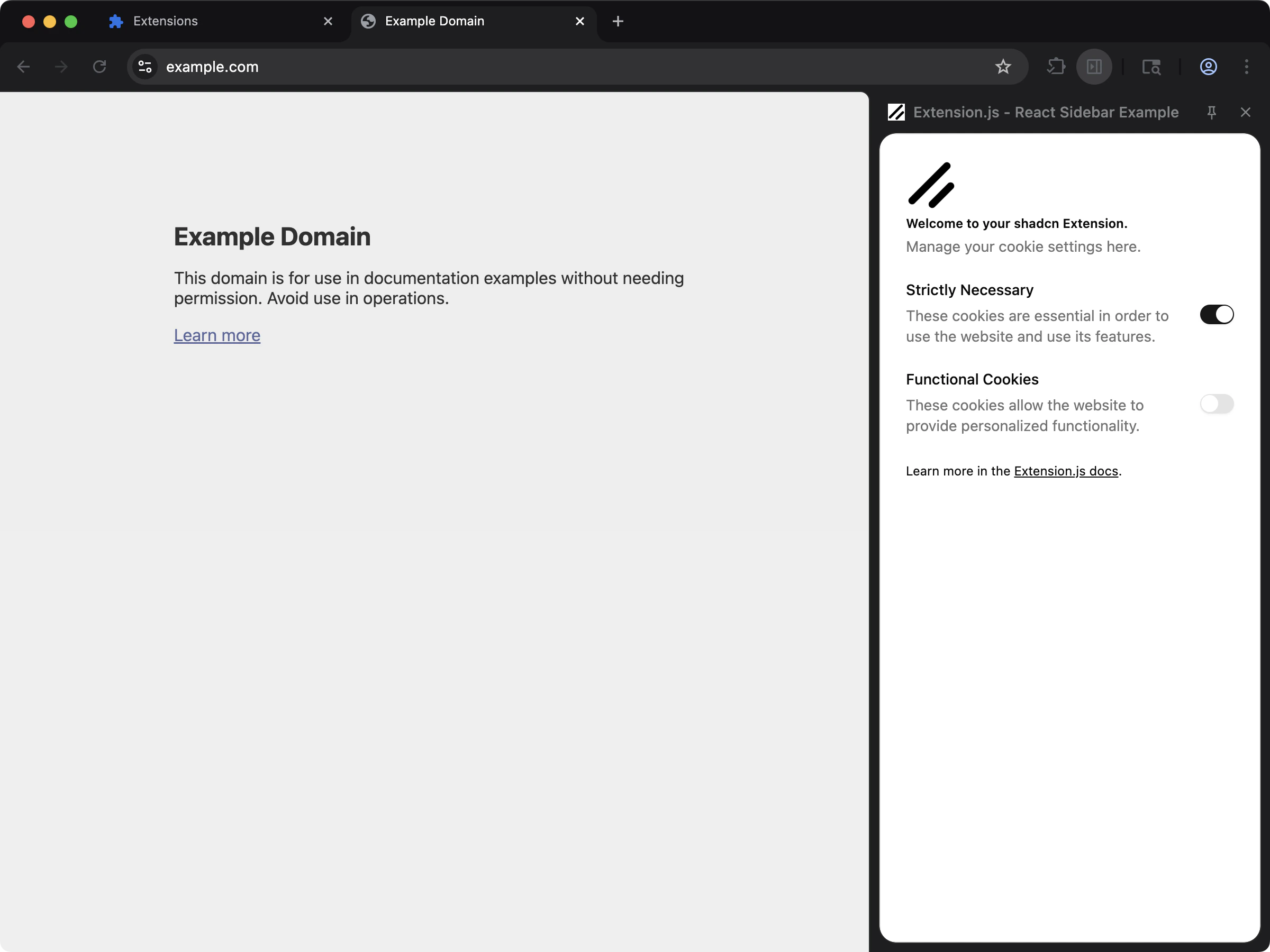
### Tailwind + PostCSS starter
Use this template when you want a working PostCSS setup with Tailwind and component-driven UI.
 ```bash npm theme={null}
npx extension@latest create my-extension --template=sidebar-shadcn
```
```bash pnpm theme={null}
pnpx extension@latest create my-extension --template=sidebar-shadcn
```
```bash yarn theme={null}
yarn dlx extension@latest create my-extension --template=sidebar-shadcn
```
```bash bun theme={null}
bunx extension@latest create my-extension --template=sidebar-shadcn
```
```bash deno theme={null}
deno run -A npm:extension@latest create my-extension --template=sidebar-shadcn
```
Repository: [examples/sidebar-shadcn](https://github.com/extension-js/examples/tree/main/examples/sidebar-shadcn)
## Detection and configuration files
Extension.js checks these PostCSS configuration files:
* `.postcssrc`
* `.postcssrc.json`
* `.postcssrc.yaml`
* `.postcssrc.yml`
* `postcss.config.mjs`
* `.postcssrc.js` / `.postcssrc.cjs`
* `postcss.config.js` / `postcss.config.cjs`
It also recognizes `postcss` configuration in `package.json`.
## Using PostCSS with an existing extension
Install PostCSS dependencies:
### Create `postcss.config.js`
```js theme={null}
export default {
plugins: {
autoprefixer: {},
},
};
```
## Usage
Import styles normally in extension pages:
```ts theme={null}
import "./styles/globals.css";
```
For content scripts, import the same way in your content-script entry:
```ts theme={null}
import "./styles/content.css";
```
Extension.js applies PostCSS in both contexts but packages the output differently (`css` pipeline for pages, asset pipeline for content scripts).
## Tailwind interaction
* Extension.js can trigger PostCSS setup automatically when it detects Tailwind.
* Extension.js handles both Tailwind v3 and v4, selecting plugins based on the detected version.
* In ECMAScript Module (ESM) projects with incompatible CommonJS (CJS) PostCSS configuration patterns, Extension.js may bypass your configuration. It injects compatibility plugins instead.
## Best practices
* Keep plugin chains small and explicit (for example, `autoprefixer`, `postcss-preset-env`).
* Verify configuration format (`.mjs`/`.cjs`) matches your project module type.
* Keep Tailwind and PostCSS versions aligned to avoid plugin resolution mismatches.
* Prefer shared style entry files for predictable processing across extension surfaces.
## Next steps
* Configure [Tailwind CSS](/docs/integrations/tailwindcss) with PostCSS.
* Add stylesheet linting with [Stylelint](/docs/integrations/stylelint).
```bash npm theme={null}
npx extension@latest create my-extension --template=sidebar-shadcn
```
```bash pnpm theme={null}
pnpx extension@latest create my-extension --template=sidebar-shadcn
```
```bash yarn theme={null}
yarn dlx extension@latest create my-extension --template=sidebar-shadcn
```
```bash bun theme={null}
bunx extension@latest create my-extension --template=sidebar-shadcn
```
```bash deno theme={null}
deno run -A npm:extension@latest create my-extension --template=sidebar-shadcn
```
Repository: [examples/sidebar-shadcn](https://github.com/extension-js/examples/tree/main/examples/sidebar-shadcn)
## Detection and configuration files
Extension.js checks these PostCSS configuration files:
* `.postcssrc`
* `.postcssrc.json`
* `.postcssrc.yaml`
* `.postcssrc.yml`
* `postcss.config.mjs`
* `.postcssrc.js` / `.postcssrc.cjs`
* `postcss.config.js` / `postcss.config.cjs`
It also recognizes `postcss` configuration in `package.json`.
## Using PostCSS with an existing extension
Install PostCSS dependencies:
### Create `postcss.config.js`
```js theme={null}
export default {
plugins: {
autoprefixer: {},
},
};
```
## Usage
Import styles normally in extension pages:
```ts theme={null}
import "./styles/globals.css";
```
For content scripts, import the same way in your content-script entry:
```ts theme={null}
import "./styles/content.css";
```
Extension.js applies PostCSS in both contexts but packages the output differently (`css` pipeline for pages, asset pipeline for content scripts).
## Tailwind interaction
* Extension.js can trigger PostCSS setup automatically when it detects Tailwind.
* Extension.js handles both Tailwind v3 and v4, selecting plugins based on the detected version.
* In ECMAScript Module (ESM) projects with incompatible CommonJS (CJS) PostCSS configuration patterns, Extension.js may bypass your configuration. It injects compatibility plugins instead.
## Best practices
* Keep plugin chains small and explicit (for example, `autoprefixer`, `postcss-preset-env`).
* Verify configuration format (`.mjs`/`.cjs`) matches your project module type.
* Keep Tailwind and PostCSS versions aligned to avoid plugin resolution mismatches.
* Prefer shared style entry files for predictable processing across extension surfaces.
## Next steps
* Configure [Tailwind CSS](/docs/integrations/tailwindcss) with PostCSS.
* Add stylesheet linting with [Stylelint](/docs/integrations/stylelint).