> ## Documentation Index
> Fetch the complete documentation index at: https://extension.js.org/llms.txt
> Use this file to discover all available pages before exploring further.
# Web-accessible resources and build-time merging
> Expose only the extension assets web pages need. Extension.js merges user-declared web_accessible_resources with build-time requirements automatically.
Expose only the extension assets that web pages or external extension contexts must access.
Extension.js merges user-declared `web_accessible_resources` with build-discovered requirements and applies target-specific manifest normalization.
## Template example
### `content`
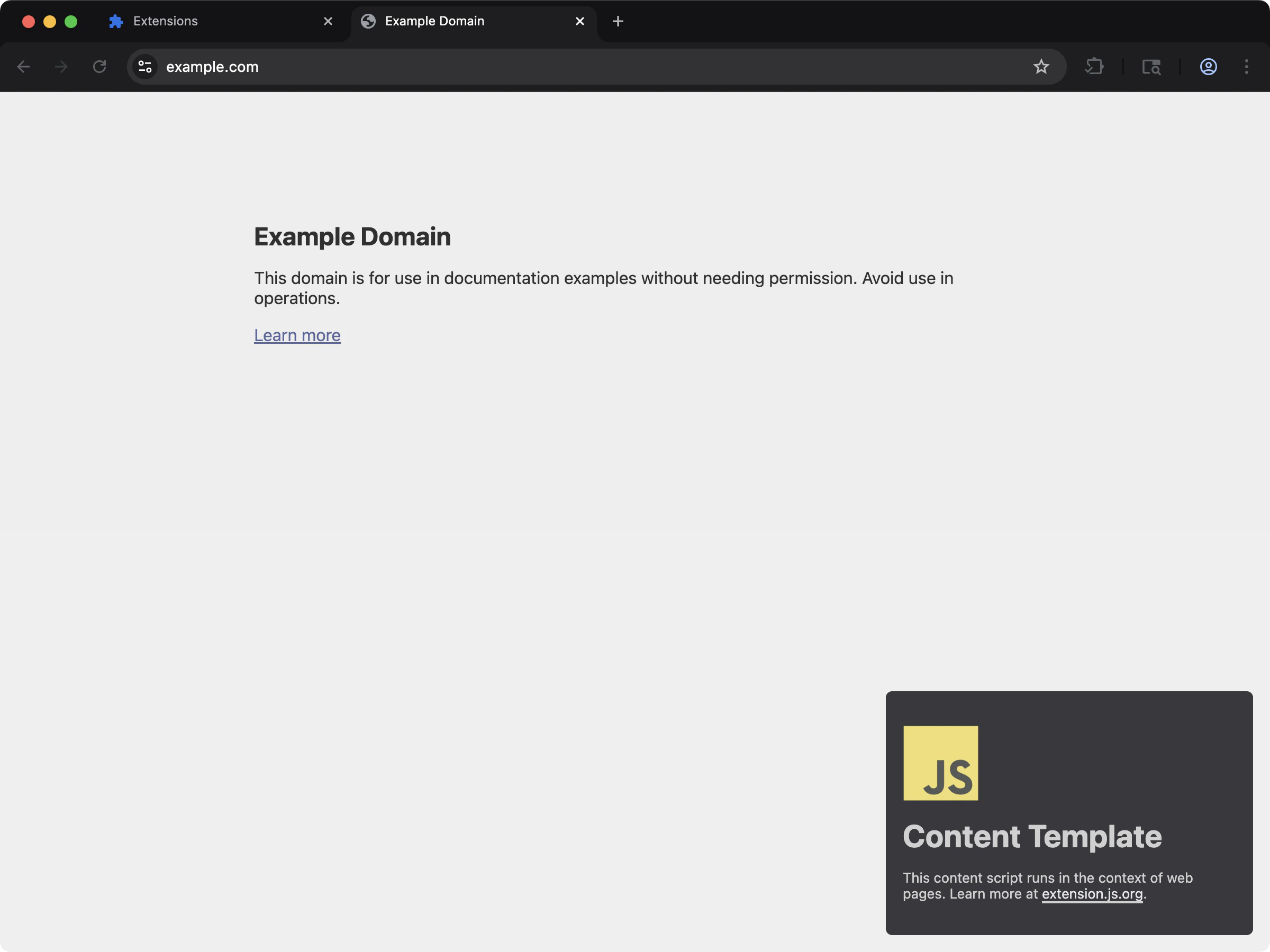 Content scripts use web-accessible resources to inject styles and assets into pages.
```bash npm theme={null}
npx extension@latest create my-extension --template=content
```
```bash pnpm theme={null}
pnpx extension@latest create my-extension --template=content
```
```bash yarn theme={null}
yarn dlx extension@latest create my-extension --template=content
```
```bash bun theme={null}
bunx extension@latest create my-extension --template=content
```
```bash deno theme={null}
deno run -A npm:extension@latest create my-extension --template=content
```
Repository: [extension-js/examples/content](https://github.com/extension-js/examples/tree/main/examples/content)
## Web-accessible resource capabilities
| Capability | What it gives you |
| ------------------------------ | ----------------------------------------------------------------------------------------------- |
| Manifest V2/V3 schema handling | Handle both array and object `web_accessible_resources` shapes per manifest version |
| Build-aware merging | Combine declared resources with required build/runtime entries |
| Path normalization | Resolve WAR (web-accessible resource) paths to correct output locations for each browser target |
| Security control surface | Keep access rules explicit by `resources` and `matches` |
## Manifest schema
### Manifest V3
```json theme={null}
{
"web_accessible_resources": [
{
"resources": ["images/*.png", "fonts/*.woff2"],
"matches": [""]
}
]
}
```
### Manifest V2
```json theme={null}
{
"web_accessible_resources": ["images/*.png", "scripts/*.js", "styles/*.css"]
}
```
## Sample `manifest.json` file
If you import assets through supported content-script or build paths, Extension.js adds the required WAR entries automatically. If web pages need to access specific assets directly, declare those resources manually.
```json theme={null}
{
"manifest_version": 3,
"name": "My Extension",
"version": "1.0.0",
"web_accessible_resources": [
{
"resources": ["images/*.png", "scripts/*.js", "styles/*.css"],
"matches": [""]
}
],
"content_scripts": [
{
"matches": ["https://example.com/*"],
"css": ["styles/content.css"],
"js": ["scripts/content.js"]
}
]
}
```
## What Extension.js adds automatically
Extension.js can expand WAR entries from build output when the runtime needs those assets to be page-accessible.
Common examples include:
* Assets imported by content scripts.
* Content-script CSS outputs.
* Emitted fonts or static assets referenced by those entries.
* Development-only runtime support needed for reload behavior.
Automatic inclusion is convenient, but you should still review the final set of assets exposed to web pages.
Match patterns that include ports or port wildcards (for example, `http://localhost:3000/*` or `https://example.com:*/*`) are valid: the build accepts every pattern Chrome loads instead of rejecting it.
## Development behavior
* In development, Extension.js patches WAR entries to support reload and hot module replacement (HMR) asset access.
* Extension.js can auto-include content-script-related assets in WAR when needed.
* Extension.js normalizes paths by removing the `public/` prefix and leading `/` to produce output-safe paths.
## Output and resolution notes
* Extension.js copies resources in `public/` through the public-asset flow, and you can declare them from extension root paths.
* Relative WAR resource paths resolve from the manifest folder.
* You can use globs, but match patterns must be valid for target browser constraints.
* Extension.js drops Manifest V3 (MV3) entries without `resources` during normalization.
* Extension.js preserves globs as-is and does not expand them into explicit file lists.
## Runtime usage
Use browser runtime URL helpers instead of constructing extension URLs manually:
```ts theme={null}
const logoUrl = chrome.runtime.getURL("/images/logo.png");
```
If a page or content script cannot read an asset you expected to be accessible, check:
1. Whether the asset is actually present in the output.
2. Whether the WAR entry exposes the correct `resources`.
3. Whether the `matches` scope includes the page that is trying to read it.
4. Whether the asset should instead stay private to extension pages only.
## Best practices
* Keep WAR entries minimal; expose only what external contexts must read.
* Prefer explicit resource paths over broad globs for better security.
* Validate WAR match patterns and resource paths across Chromium and Firefox targets.
* Use `chrome.runtime.getURL()`/`browser.runtime.getURL()` for runtime-safe URL creation.
* Re-audit WAR after adding content-script imports, fonts, or page-accessible static assets.
### Security checklist
* Limit `matches` scope to domains that actually require access.
* Avoid broad wildcard resource globs when a small explicit list is sufficient.
* Keep WAR entries focused on non-sensitive assets.
* Re-audit WAR when adding new content script imports or runtime asset lookups.
### Scoped vs overly broad examples
```json theme={null}
{
"web_accessible_resources": [
{
"resources": ["images/logo.png", "fonts/inter.woff2"],
"matches": ["https://example.com/*"]
}
]
}
```
```json theme={null}
{
"web_accessible_resources": [
{
"resources": ["*"],
"matches": [""]
}
]
}
```
## Next steps
* Understand update outcomes in [dev update behavior](/docs/workflows/dev-update-behavior).
* Learn more about [Special folders](/docs/features/special-folders).
* Continue with [commands reference](/docs/commands/dev).
Content scripts use web-accessible resources to inject styles and assets into pages.
```bash npm theme={null}
npx extension@latest create my-extension --template=content
```
```bash pnpm theme={null}
pnpx extension@latest create my-extension --template=content
```
```bash yarn theme={null}
yarn dlx extension@latest create my-extension --template=content
```
```bash bun theme={null}
bunx extension@latest create my-extension --template=content
```
```bash deno theme={null}
deno run -A npm:extension@latest create my-extension --template=content
```
Repository: [extension-js/examples/content](https://github.com/extension-js/examples/tree/main/examples/content)
## Web-accessible resource capabilities
| Capability | What it gives you |
| ------------------------------ | ----------------------------------------------------------------------------------------------- |
| Manifest V2/V3 schema handling | Handle both array and object `web_accessible_resources` shapes per manifest version |
| Build-aware merging | Combine declared resources with required build/runtime entries |
| Path normalization | Resolve WAR (web-accessible resource) paths to correct output locations for each browser target |
| Security control surface | Keep access rules explicit by `resources` and `matches` |
## Manifest schema
### Manifest V3
```json theme={null}
{
"web_accessible_resources": [
{
"resources": ["images/*.png", "fonts/*.woff2"],
"matches": [""]
}
]
}
```
### Manifest V2
```json theme={null}
{
"web_accessible_resources": ["images/*.png", "scripts/*.js", "styles/*.css"]
}
```
## Sample `manifest.json` file
If you import assets through supported content-script or build paths, Extension.js adds the required WAR entries automatically. If web pages need to access specific assets directly, declare those resources manually.
```json theme={null}
{
"manifest_version": 3,
"name": "My Extension",
"version": "1.0.0",
"web_accessible_resources": [
{
"resources": ["images/*.png", "scripts/*.js", "styles/*.css"],
"matches": [""]
}
],
"content_scripts": [
{
"matches": ["https://example.com/*"],
"css": ["styles/content.css"],
"js": ["scripts/content.js"]
}
]
}
```
## What Extension.js adds automatically
Extension.js can expand WAR entries from build output when the runtime needs those assets to be page-accessible.
Common examples include:
* Assets imported by content scripts.
* Content-script CSS outputs.
* Emitted fonts or static assets referenced by those entries.
* Development-only runtime support needed for reload behavior.
Automatic inclusion is convenient, but you should still review the final set of assets exposed to web pages.
Match patterns that include ports or port wildcards (for example, `http://localhost:3000/*` or `https://example.com:*/*`) are valid: the build accepts every pattern Chrome loads instead of rejecting it.
## Development behavior
* In development, Extension.js patches WAR entries to support reload and hot module replacement (HMR) asset access.
* Extension.js can auto-include content-script-related assets in WAR when needed.
* Extension.js normalizes paths by removing the `public/` prefix and leading `/` to produce output-safe paths.
## Output and resolution notes
* Extension.js copies resources in `public/` through the public-asset flow, and you can declare them from extension root paths.
* Relative WAR resource paths resolve from the manifest folder.
* You can use globs, but match patterns must be valid for target browser constraints.
* Extension.js drops Manifest V3 (MV3) entries without `resources` during normalization.
* Extension.js preserves globs as-is and does not expand them into explicit file lists.
## Runtime usage
Use browser runtime URL helpers instead of constructing extension URLs manually:
```ts theme={null}
const logoUrl = chrome.runtime.getURL("/images/logo.png");
```
If a page or content script cannot read an asset you expected to be accessible, check:
1. Whether the asset is actually present in the output.
2. Whether the WAR entry exposes the correct `resources`.
3. Whether the `matches` scope includes the page that is trying to read it.
4. Whether the asset should instead stay private to extension pages only.
## Best practices
* Keep WAR entries minimal; expose only what external contexts must read.
* Prefer explicit resource paths over broad globs for better security.
* Validate WAR match patterns and resource paths across Chromium and Firefox targets.
* Use `chrome.runtime.getURL()`/`browser.runtime.getURL()` for runtime-safe URL creation.
* Re-audit WAR after adding content-script imports, fonts, or page-accessible static assets.
### Security checklist
* Limit `matches` scope to domains that actually require access.
* Avoid broad wildcard resource globs when a small explicit list is sufficient.
* Keep WAR entries focused on non-sensitive assets.
* Re-audit WAR when adding new content script imports or runtime asset lookups.
### Scoped vs overly broad examples
```json theme={null}
{
"web_accessible_resources": [
{
"resources": ["images/logo.png", "fonts/inter.woff2"],
"matches": ["https://example.com/*"]
}
]
}
```
```json theme={null}
{
"web_accessible_resources": [
{
"resources": ["*"],
"matches": [""]
}
]
}
```
## Next steps
* Understand update outcomes in [dev update behavior](/docs/workflows/dev-update-behavior).
* Learn more about [Special folders](/docs/features/special-folders).
* Continue with [commands reference](/docs/commands/dev).