> ## Documentation Index
> Fetch the complete documentation index at: https://extension.js.org/llms.txt
> Use this file to discover all available pages before exploring further.
# Background scripts and MV3 service workers
> Run extension logic with MV2 background scripts or MV3 service workers. Extension.js compiles entries from manifest.json and applies reload behavior.
Run extension-wide logic in background contexts with clear support for both Manifest V2 (MV2) background scripts and Manifest V3 (MV3) service workers.
Extension.js reads background entries from `manifest.json` and compiles them into dedicated background outputs. It applies browser-specific reload behavior during development.
## Template examples
### `action`
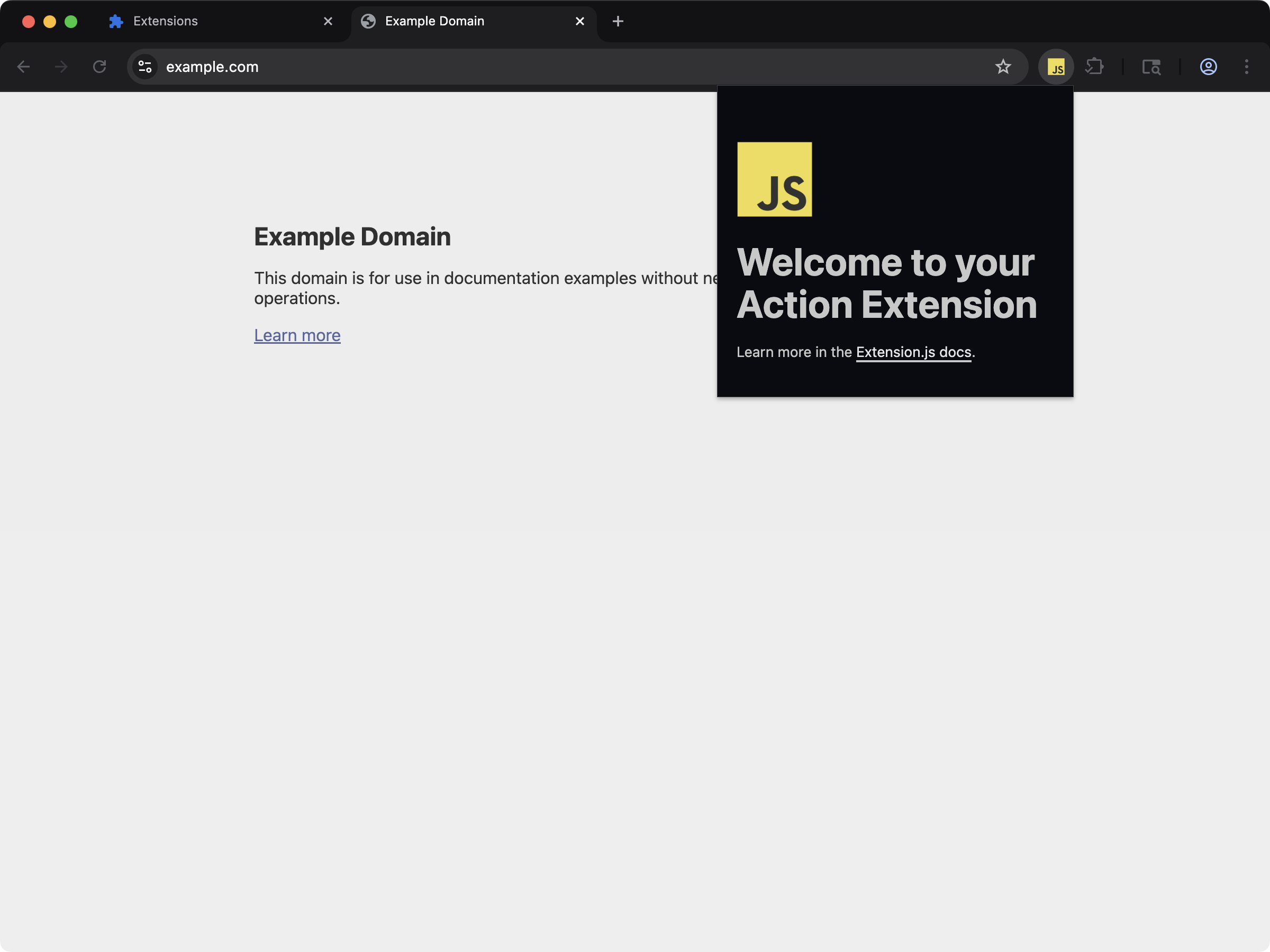 An action popup extension with a background service worker handling browser events.
```bash npm theme={null}
npx extension@latest create my-extension --template=action
```
```bash pnpm theme={null}
pnpx extension@latest create my-extension --template=action
```
```bash yarn theme={null}
yarn dlx extension@latest create my-extension --template=action
```
```bash bun theme={null}
bunx extension@latest create my-extension --template=action
```
```bash deno theme={null}
deno run -A npm:extension@latest create my-extension --template=action
```
Repository: [extension-js/examples/action](https://github.com/extension-js/examples/tree/main/examples/action)
### `ai-chatgpt`
An action popup extension with a background service worker handling browser events.
```bash npm theme={null}
npx extension@latest create my-extension --template=action
```
```bash pnpm theme={null}
pnpx extension@latest create my-extension --template=action
```
```bash yarn theme={null}
yarn dlx extension@latest create my-extension --template=action
```
```bash bun theme={null}
bunx extension@latest create my-extension --template=action
```
```bash deno theme={null}
deno run -A npm:extension@latest create my-extension --template=action
```
Repository: [extension-js/examples/action](https://github.com/extension-js/examples/tree/main/examples/action)
### `ai-chatgpt`
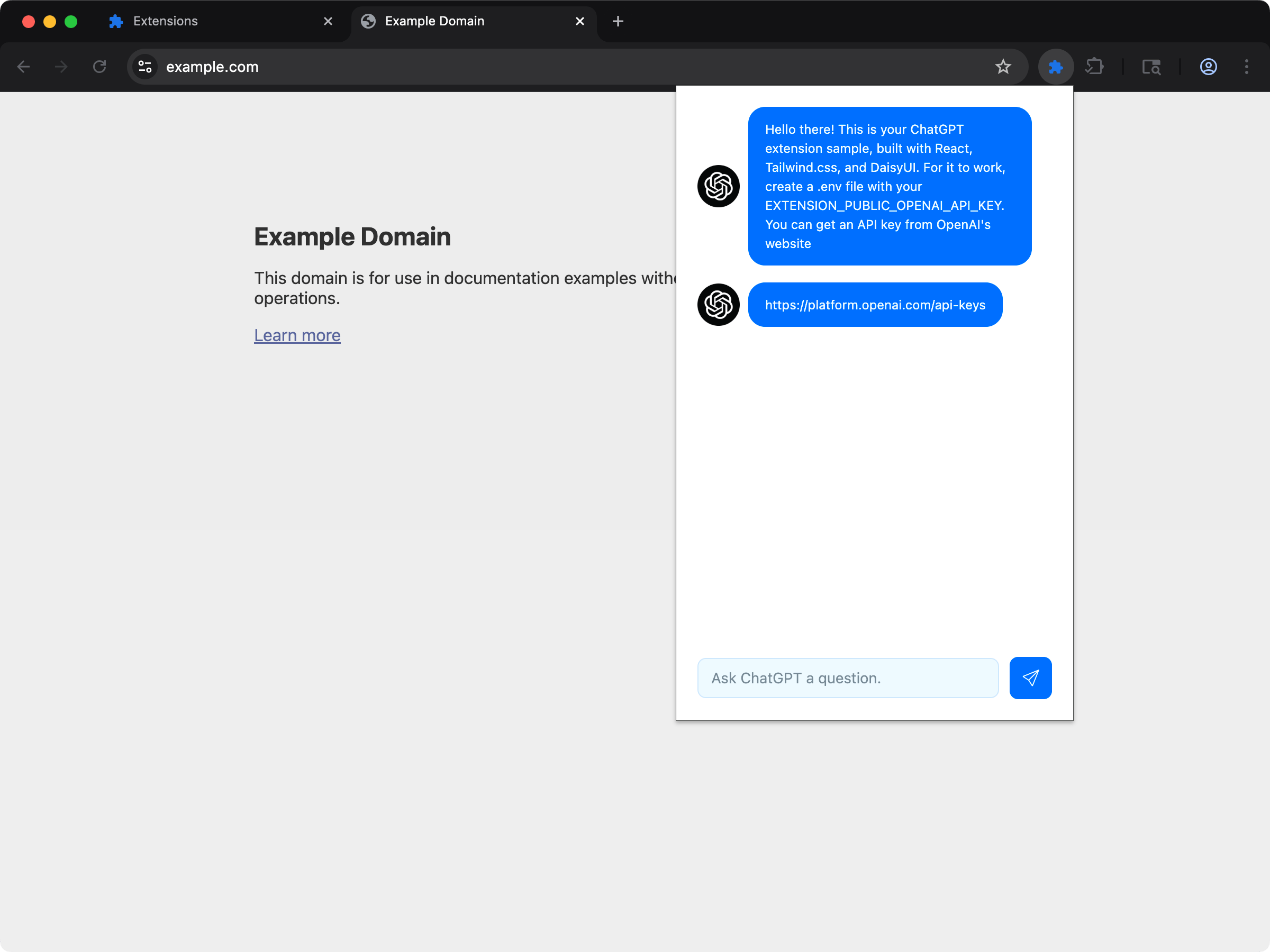 Action popup with a background service worker that integrates with an external API (ChatGPT).
```bash npm theme={null}
npx extension@latest create my-extension --template=ai-chatgpt
```
```bash pnpm theme={null}
pnpx extension@latest create my-extension --template=ai-chatgpt
```
```bash yarn theme={null}
yarn dlx extension@latest create my-extension --template=ai-chatgpt
```
```bash bun theme={null}
bunx extension@latest create my-extension --template=ai-chatgpt
```
```bash deno theme={null}
deno run -A npm:extension@latest create my-extension --template=ai-chatgpt
```
Repository: [extension-js/examples/ai-chatgpt](https://github.com/extension-js/examples/tree/main/examples/ai-chatgpt)
## Background capabilities
| Capability | What it gives you |
| ---------------------------- | -------------------------------------------------------------------- |
| MV2/MV3 compatibility | Support `background.scripts` and `background.service_worker` entries |
| Dedicated background outputs | Emit background runtime files per active manifest shape |
| Reload-aware development | Apply hard reload/restart behavior for structural changes |
| Worker mode control | Respect `background.type` module/classic runtime behavior |
## Background script support
Declare background scripts with these `manifest.json` fields:
| Manifest field | File type expected | dev behavior |
| --------------------------- | ---------------------------- | -------------------------------------------- |
| `background.service_worker` | `.js`, `.ts`, `.mjs`, `.tsx` | hard reload flow |
| `background.scripts` | `.js`, `.ts`, `.mjs`, `.tsx` | hot module replacement (HMR)-compatible path |
`background.type` can also affect runtime mode (`module` vs classic service worker behavior).
## Sample background script declaration
Example background script declaration in `manifest.json`:
```json theme={null}
{
"manifest_version": 3,
"name": "My Extension",
"version": "1.0.0",
"background": {
"service_worker": "./scripts/background.ts"
}
}
```
## Development behavior
* Extension.js tracks service worker/source changes and can trigger hard extension reload.
* Manifest changes affecting background entries can trigger restart-required diagnostics.
* Browser launch plugins apply target-specific hard reload strategies (Chromium/Firefox).
* Extension.js treats structural entrypoint changes more strictly than regular module edits.
## Firefox: service worker translated to an event page
Firefox does not run MV3 `background.service_worker` (loading such an add-on fails with *"background.service\_worker is currently disabled. Add background.scripts."*). You don't need to special-case it: for the Firefox build, Extension.js automatically translates a `background.service_worker` entry into a `background.scripts` event page pointing at the same compiled bundle. Author one `background.service_worker` and it loads on both Chromium and Firefox.
## MV3 service worker lifecycle
`background.service_worker` runs under the browser's service-worker lifecycle, not as a long-running process.
That means:
* In-memory state can disappear between events.
* Design long-running work around events, not process permanence.
* Startup should stay small and predictable.
* Your code should restore important state from storage or recompute it safely.
Use `background.scripts` only for MV2-style compatibility cases. For MV3-first extensions, treat the service worker as the central coordinator for browser API calls and cross-context communication.
## Output behavior
Common outputs include:
* `background/service_worker.js`
* `background/scripts.js`
The exact output depends on which manifest field remains active after browser filtering.
## Module and classic notes
* `background.type: "module"` uses module worker semantics.
* Classic service worker mode uses `importScripts`-based chunk loading behavior.
* Avoid dynamic imports in background code that must load immediately on startup.
## Runtime-loaded files
Some files never appear as import statements but still must ship with the extension. Extension.js traces these into the output so the built extension behaves like the source loaded unpacked in the browser:
* **`importScripts(...)` dependencies of classic service workers.** String-literal arguments are resolved recursively (a dependency can call `importScripts` itself) against the emitted worker location, so worker-relative URLs keep working even though the worker moves to `background/service_worker.js`. WebAssembly sibling files loaded by wasm-bindgen glue (`*_bg.wasm`) ship alongside their loader.
* **`chrome.scripting.executeScript({files: [...]})` and `insertCSS({files: [...]})` payloads.** Files referenced only from `files:` arrays (not declared in manifest `content_scripts`) are copied verbatim at their extension-root paths.
A referenced file that does not exist in your project produces a build warning naming the missing path, instead of a silent runtime failure.
## Recommended architecture
* Keep the background entry thin and move feature logic into shared modules.
* Use the background context as the central coordinator for messaging, storage access, and browser API calls.
* Restore durable state from storage instead of assuming the background script stays running permanently.
* Use alarms, explicit event listeners, and small feature modules instead of one large startup path.
## Common mistakes
* Treating the service worker like a permanently running server process.
* Keeping critical state only in memory.
* Doing expensive startup work on every event wakeup.
* Putting too much feature logic in popup or content-script code when it actually needs background-level browser API access.
## Best practices
* Prefer `background.service_worker` for MV3-first extensions.
* Keep background entry files small and delegate logic to shared modules.
* Avoid expensive startup work in service workers; initialize lazily where safe.
* Treat manifest background field edits as structural changes in dev flow.
* Route privileged actions through validated message handlers.
* Store durable settings and caches in browser storage, not only in module-level variables.
## Next steps
* Understand update outcomes in [dev update behavior](/docs/workflows/dev-update-behavior).
* Persist durable runtime state with [Storage](/docs/implementation-guide/storage).
* Coordinate contexts with [Messaging](/docs/implementation-guide/messaging).
* Learn more about [JavaScript in development](/docs/implementation-guide/javascript).
* Continue with [content scripts](/docs/implementation-guide/content-scripts).
* Troubleshoot service worker behavior in [Manifest V3 troubleshooting](/docs/concepts/manifest-v3).
Action popup with a background service worker that integrates with an external API (ChatGPT).
```bash npm theme={null}
npx extension@latest create my-extension --template=ai-chatgpt
```
```bash pnpm theme={null}
pnpx extension@latest create my-extension --template=ai-chatgpt
```
```bash yarn theme={null}
yarn dlx extension@latest create my-extension --template=ai-chatgpt
```
```bash bun theme={null}
bunx extension@latest create my-extension --template=ai-chatgpt
```
```bash deno theme={null}
deno run -A npm:extension@latest create my-extension --template=ai-chatgpt
```
Repository: [extension-js/examples/ai-chatgpt](https://github.com/extension-js/examples/tree/main/examples/ai-chatgpt)
## Background capabilities
| Capability | What it gives you |
| ---------------------------- | -------------------------------------------------------------------- |
| MV2/MV3 compatibility | Support `background.scripts` and `background.service_worker` entries |
| Dedicated background outputs | Emit background runtime files per active manifest shape |
| Reload-aware development | Apply hard reload/restart behavior for structural changes |
| Worker mode control | Respect `background.type` module/classic runtime behavior |
## Background script support
Declare background scripts with these `manifest.json` fields:
| Manifest field | File type expected | dev behavior |
| --------------------------- | ---------------------------- | -------------------------------------------- |
| `background.service_worker` | `.js`, `.ts`, `.mjs`, `.tsx` | hard reload flow |
| `background.scripts` | `.js`, `.ts`, `.mjs`, `.tsx` | hot module replacement (HMR)-compatible path |
`background.type` can also affect runtime mode (`module` vs classic service worker behavior).
## Sample background script declaration
Example background script declaration in `manifest.json`:
```json theme={null}
{
"manifest_version": 3,
"name": "My Extension",
"version": "1.0.0",
"background": {
"service_worker": "./scripts/background.ts"
}
}
```
## Development behavior
* Extension.js tracks service worker/source changes and can trigger hard extension reload.
* Manifest changes affecting background entries can trigger restart-required diagnostics.
* Browser launch plugins apply target-specific hard reload strategies (Chromium/Firefox).
* Extension.js treats structural entrypoint changes more strictly than regular module edits.
## Firefox: service worker translated to an event page
Firefox does not run MV3 `background.service_worker` (loading such an add-on fails with *"background.service\_worker is currently disabled. Add background.scripts."*). You don't need to special-case it: for the Firefox build, Extension.js automatically translates a `background.service_worker` entry into a `background.scripts` event page pointing at the same compiled bundle. Author one `background.service_worker` and it loads on both Chromium and Firefox.
## MV3 service worker lifecycle
`background.service_worker` runs under the browser's service-worker lifecycle, not as a long-running process.
That means:
* In-memory state can disappear between events.
* Design long-running work around events, not process permanence.
* Startup should stay small and predictable.
* Your code should restore important state from storage or recompute it safely.
Use `background.scripts` only for MV2-style compatibility cases. For MV3-first extensions, treat the service worker as the central coordinator for browser API calls and cross-context communication.
## Output behavior
Common outputs include:
* `background/service_worker.js`
* `background/scripts.js`
The exact output depends on which manifest field remains active after browser filtering.
## Module and classic notes
* `background.type: "module"` uses module worker semantics.
* Classic service worker mode uses `importScripts`-based chunk loading behavior.
* Avoid dynamic imports in background code that must load immediately on startup.
## Runtime-loaded files
Some files never appear as import statements but still must ship with the extension. Extension.js traces these into the output so the built extension behaves like the source loaded unpacked in the browser:
* **`importScripts(...)` dependencies of classic service workers.** String-literal arguments are resolved recursively (a dependency can call `importScripts` itself) against the emitted worker location, so worker-relative URLs keep working even though the worker moves to `background/service_worker.js`. WebAssembly sibling files loaded by wasm-bindgen glue (`*_bg.wasm`) ship alongside their loader.
* **`chrome.scripting.executeScript({files: [...]})` and `insertCSS({files: [...]})` payloads.** Files referenced only from `files:` arrays (not declared in manifest `content_scripts`) are copied verbatim at their extension-root paths.
A referenced file that does not exist in your project produces a build warning naming the missing path, instead of a silent runtime failure.
## Recommended architecture
* Keep the background entry thin and move feature logic into shared modules.
* Use the background context as the central coordinator for messaging, storage access, and browser API calls.
* Restore durable state from storage instead of assuming the background script stays running permanently.
* Use alarms, explicit event listeners, and small feature modules instead of one large startup path.
## Common mistakes
* Treating the service worker like a permanently running server process.
* Keeping critical state only in memory.
* Doing expensive startup work on every event wakeup.
* Putting too much feature logic in popup or content-script code when it actually needs background-level browser API access.
## Best practices
* Prefer `background.service_worker` for MV3-first extensions.
* Keep background entry files small and delegate logic to shared modules.
* Avoid expensive startup work in service workers; initialize lazily where safe.
* Treat manifest background field edits as structural changes in dev flow.
* Route privileged actions through validated message handlers.
* Store durable settings and caches in browser storage, not only in module-level variables.
## Next steps
* Understand update outcomes in [dev update behavior](/docs/workflows/dev-update-behavior).
* Persist durable runtime state with [Storage](/docs/implementation-guide/storage).
* Coordinate contexts with [Messaging](/docs/implementation-guide/messaging).
* Learn more about [JavaScript in development](/docs/implementation-guide/javascript).
* Continue with [content scripts](/docs/implementation-guide/content-scripts).
* Troubleshoot service worker behavior in [Manifest V3 troubleshooting](/docs/concepts/manifest-v3).