> ## Documentation Index
> Fetch the complete documentation index at: https://extension.js.org/llms.txt
> Use this file to discover all available pages before exploring further.
# Special folders for pages, scripts, and assets
> Use special folders for extra pages, injected scripts, static assets, and companion extensions that do not fit in manifest.json entrypoints.
Use special folders when your extension needs entrypoints or assets that do not fit cleanly in `manifest.json`.
Handle extra pages, runtime-injected scripts, static assets with exact paths, and companion extensions for local development without splitting your project structure.
## Template examples
### `special-folders-pages`
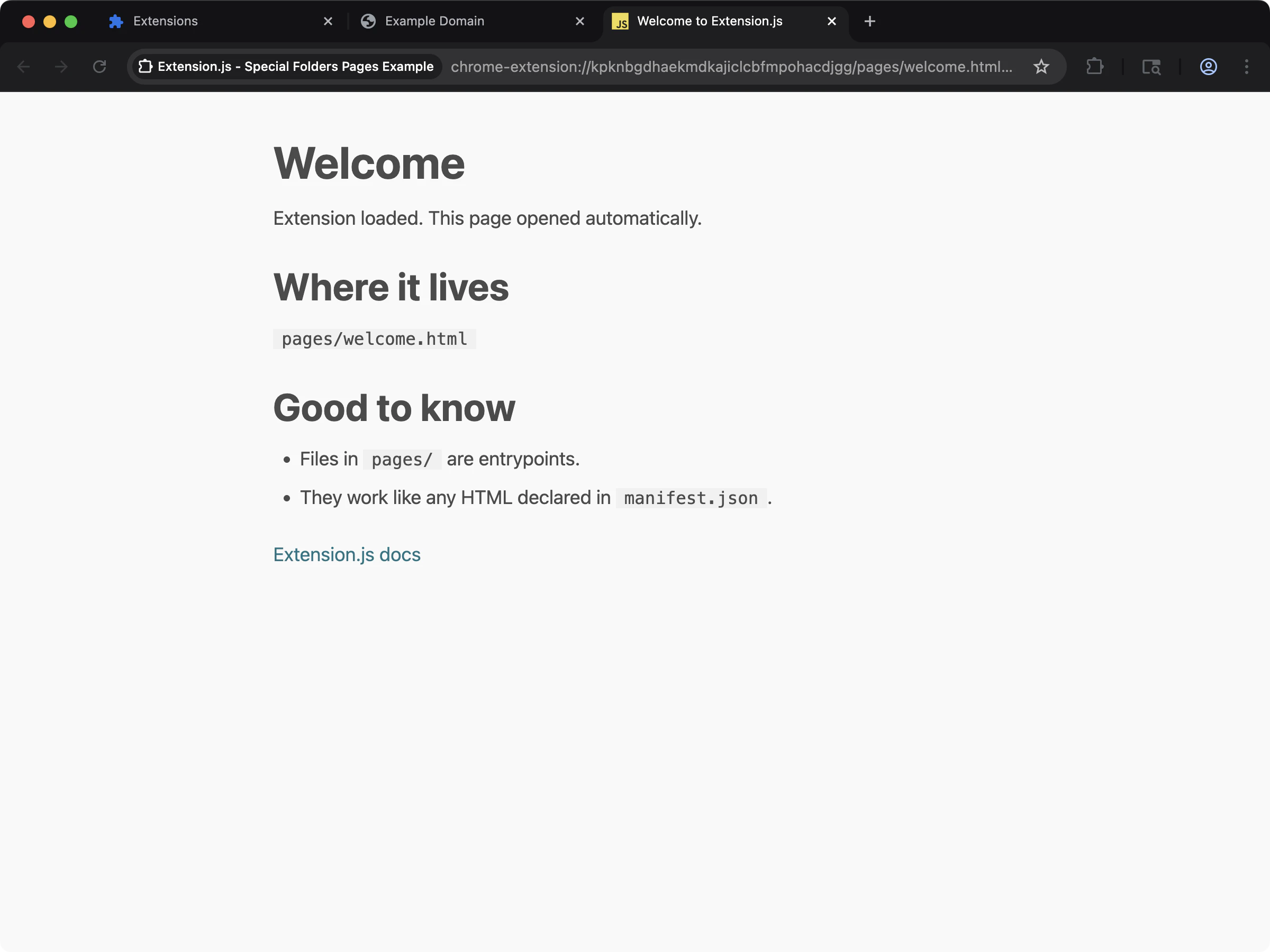 See the `pages/` special folder in action with extra HTML entrypoints.
```bash npm theme={null}
npx extension@latest create my-extension --template=special-folders-pages
```
```bash pnpm theme={null}
pnpx extension@latest create my-extension --template=special-folders-pages
```
```bash yarn theme={null}
yarn dlx extension@latest create my-extension --template=special-folders-pages
```
```bash bun theme={null}
bunx extension@latest create my-extension --template=special-folders-pages
```
```bash bun theme={null}
bunx extension@latest create my-extension --template=special-folders-pages
```
Repository: [extension-js/examples/special-folders-pages](https://github.com/extension-js/examples/tree/main/examples/special-folders-pages)
### `special-folders-scripts`
See the `pages/` special folder in action with extra HTML entrypoints.
```bash npm theme={null}
npx extension@latest create my-extension --template=special-folders-pages
```
```bash pnpm theme={null}
pnpx extension@latest create my-extension --template=special-folders-pages
```
```bash yarn theme={null}
yarn dlx extension@latest create my-extension --template=special-folders-pages
```
```bash bun theme={null}
bunx extension@latest create my-extension --template=special-folders-pages
```
```bash bun theme={null}
bunx extension@latest create my-extension --template=special-folders-pages
```
Repository: [extension-js/examples/special-folders-pages](https://github.com/extension-js/examples/tree/main/examples/special-folders-pages)
### `special-folders-scripts`
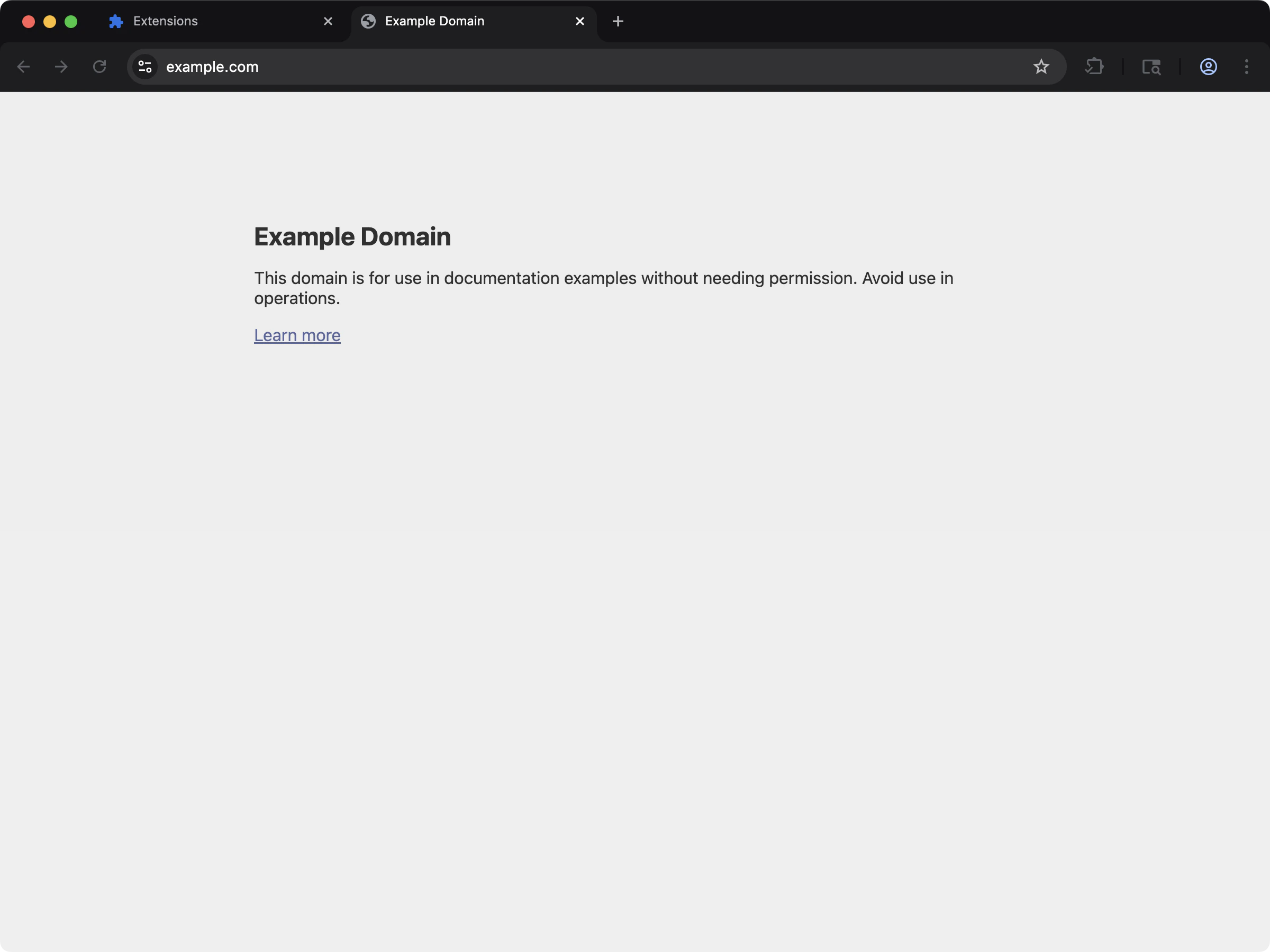 See the `scripts/` special folder in action with standalone script entrypoints.
```bash npm theme={null}
npx extension@latest create my-extension --template=special-folders-scripts
```
```bash pnpm theme={null}
pnpx extension@latest create my-extension --template=special-folders-scripts
```
```bash yarn theme={null}
yarn dlx extension@latest create my-extension --template=special-folders-scripts
```
```bash bun theme={null}
bunx extension@latest create my-extension --template=special-folders-scripts
```
```bash bun theme={null}
bunx extension@latest create my-extension --template=special-folders-scripts
```
Repository: [extension-js/examples/special-folders-scripts](https://github.com/extension-js/examples/tree/main/examples/special-folders-scripts)
## Why this matters
The manifest does not directly declare many extension files. These include iframe pages, scripts you inject dynamically with `chrome.scripting.executeScript`, and static vendor assets. You may also need companion extensions during development. Special folders make all of these first-class in the build pipeline.
## How it works
Each special folder has a specific role:
| Folder name | Description |
| ------------- | ----------------------------------------------------------------------------------------------------------- |
| `pages/` | Adds HTML pages to compilation as entrypoints, even when the manifest does not list them. |
| `scripts/` | Adds script files to compilation as entrypoints, even when no manifest or HTML entry references them. |
| `public/` | Copies static assets to the output root as-is (`public/**` → `dist/**`) without bundling or transformation. |
| `extensions/` | Provides a conventional location for load-only companion extensions in dev/preview/start workflows. |
## `pages/`: additional HTML entrypoints
Use `pages/` for extra extension pages such as sandbox iframes, diagnostics pages, or internal tools.
Extension.js treats each `.html` file in `pages/` as an entrypoint and compiles it like manifest-declared pages.
For a sandboxed iframe example, see the [Chrome Sandbox Sample](https://github.com/GoogleChrome/chrome-extensions-samples/tree/main/api-samples/sandbox/sandbox).
## `scripts/`: standalone script entrypoints
Use `scripts/` for executable scripts that you load dynamically and that do not tie to an HTML page entry.
Extension.js compiles files in `scripts/` as entrypoints using the same extension resolution pipeline as the rest of your project.
### Important contract
When you use a `scripts/` entry as a content-script-like runtime entry, follow the content script initialization pattern. This is the default-export contract Extension.js expects for safe hot-reload of injected scripts:
* Export a default function.
* Perform setup inside that function.
* Optionally return a synchronous cleanup.
This matters most during development, where Extension.js remounts content-script-like entries safely instead of using full page reloads.
### Node.js scripts are not allowed in `scripts/`
Extension.js wraps every file inside `scripts/` with a browser content-script mount runtime. If you place a Node.js-only file there (for example, a CLI launcher or build helper), the wrapper breaks the file.
The shebang is no longer on line 1, and Node-only APIs are unavailable in the browser context.
Extension.js detects two Node.js indicators and throws an error at build time:
* A shebang (`#!/usr/bin/env node`) on line 1.
* An import from the `node:` protocol (for example, `import fs from 'node:fs'`).
If you see `scripts/ is a reserved folder in Extension.js`, move the file to a
different folder at the project root, for example, `bin/`, `tools/`, `ops/`,
`tasks/`, or `ci-scripts/`.
For dynamic injection examples, see the [Chrome Scripting Sample](https://github.com/GoogleChrome/chrome-extensions-samples/tree/main/api-samples/scripting).
## `public/`: copy-only static assets
Use `public/` when you need stable file paths and no bundling/transformation.
Extension.js copies everything under `public/` to the output root 1:1.
### Important `public/` guard
Do not place `manifest.json` at `public/manifest.json`. Extension.js prevents this to avoid overwriting the generated manifest during compilation.
## `extensions/`: companion extensions (load-only)
When you use companion extensions (for example, DevTools helpers), Extension.js supports an `extensions/` folder as a load-only source in dev/preview/start flows.
At a high level:
* Scans subfolders under `extensions/` for unpacked extension roots (`manifest.json` present).
* Extension.js loads companion extensions alongside your main extension.
* Use this folder to load companion extensions, not to build them into your main artifact.
You can also load companion extensions via the `--extensions` CLI flag or the `extensions` key in `extension.config.js`:
```bash theme={null}
# Load from a local folder
extension dev --extensions ./path/to/companion
# Load from Chrome Web Store or Firefox Add-ons
extension dev --extensions "https://chromewebstore.google.com/detail/react-developer-tools/fmkadmapgofadopljbjfkapdkoienihi"
```
Extension.js automatically downloads, unpacks, and loads store URLs alongside your extension.
## Development behavior (watch mode)
In development watch mode, Extension.js monitors `pages/` and `scripts/` for file set changes:
* Adding supported files triggers a warning (you can keep working).
* Removing a supported file triggers a compilation error. Restart the dev server to recover.
This protects the running compilation graph from stale or broken entrypoints.
## Best practices
* **Keep shared runtime assets in `public/`**: Use it for files that must keep exact names and paths in output.
* **Use `pages/` and `scripts/` for true entrypoints**: Keep off-manifest execution paths explicit.
* **Restart dev server after entrypoint changes**: Especially after removing files under `pages/` or `scripts/`.
* **Keep companion extensions isolated**: Treat `extensions/` as load-only dependencies for local workflows.
* **Do not place `manifest.json` in `public/`**: Extension.js blocks `public/manifest.json` to protect the generated extension output.
## Next steps
* Learn more about [Page reload and hot module replacement (HMR)](/docs/features/reload-and-hmr).
* Understand the mount contract in [Content scripts](/docs/implementation-guide/content-scripts).
* Browse the [Templates](/docs/getting-started/templates) to scaffold your next extension.
See the `scripts/` special folder in action with standalone script entrypoints.
```bash npm theme={null}
npx extension@latest create my-extension --template=special-folders-scripts
```
```bash pnpm theme={null}
pnpx extension@latest create my-extension --template=special-folders-scripts
```
```bash yarn theme={null}
yarn dlx extension@latest create my-extension --template=special-folders-scripts
```
```bash bun theme={null}
bunx extension@latest create my-extension --template=special-folders-scripts
```
```bash bun theme={null}
bunx extension@latest create my-extension --template=special-folders-scripts
```
Repository: [extension-js/examples/special-folders-scripts](https://github.com/extension-js/examples/tree/main/examples/special-folders-scripts)
## Why this matters
The manifest does not directly declare many extension files. These include iframe pages, scripts you inject dynamically with `chrome.scripting.executeScript`, and static vendor assets. You may also need companion extensions during development. Special folders make all of these first-class in the build pipeline.
## How it works
Each special folder has a specific role:
| Folder name | Description |
| ------------- | ----------------------------------------------------------------------------------------------------------- |
| `pages/` | Adds HTML pages to compilation as entrypoints, even when the manifest does not list them. |
| `scripts/` | Adds script files to compilation as entrypoints, even when no manifest or HTML entry references them. |
| `public/` | Copies static assets to the output root as-is (`public/**` → `dist/**`) without bundling or transformation. |
| `extensions/` | Provides a conventional location for load-only companion extensions in dev/preview/start workflows. |
## `pages/`: additional HTML entrypoints
Use `pages/` for extra extension pages such as sandbox iframes, diagnostics pages, or internal tools.
Extension.js treats each `.html` file in `pages/` as an entrypoint and compiles it like manifest-declared pages.
For a sandboxed iframe example, see the [Chrome Sandbox Sample](https://github.com/GoogleChrome/chrome-extensions-samples/tree/main/api-samples/sandbox/sandbox).
## `scripts/`: standalone script entrypoints
Use `scripts/` for executable scripts that you load dynamically and that do not tie to an HTML page entry.
Extension.js compiles files in `scripts/` as entrypoints using the same extension resolution pipeline as the rest of your project.
### Important contract
When you use a `scripts/` entry as a content-script-like runtime entry, follow the content script initialization pattern. This is the default-export contract Extension.js expects for safe hot-reload of injected scripts:
* Export a default function.
* Perform setup inside that function.
* Optionally return a synchronous cleanup.
This matters most during development, where Extension.js remounts content-script-like entries safely instead of using full page reloads.
### Node.js scripts are not allowed in `scripts/`
Extension.js wraps every file inside `scripts/` with a browser content-script mount runtime. If you place a Node.js-only file there (for example, a CLI launcher or build helper), the wrapper breaks the file.
The shebang is no longer on line 1, and Node-only APIs are unavailable in the browser context.
Extension.js detects two Node.js indicators and throws an error at build time:
* A shebang (`#!/usr/bin/env node`) on line 1.
* An import from the `node:` protocol (for example, `import fs from 'node:fs'`).
If you see `scripts/ is a reserved folder in Extension.js`, move the file to a
different folder at the project root, for example, `bin/`, `tools/`, `ops/`,
`tasks/`, or `ci-scripts/`.
For dynamic injection examples, see the [Chrome Scripting Sample](https://github.com/GoogleChrome/chrome-extensions-samples/tree/main/api-samples/scripting).
## `public/`: copy-only static assets
Use `public/` when you need stable file paths and no bundling/transformation.
Extension.js copies everything under `public/` to the output root 1:1.
### Important `public/` guard
Do not place `manifest.json` at `public/manifest.json`. Extension.js prevents this to avoid overwriting the generated manifest during compilation.
## `extensions/`: companion extensions (load-only)
When you use companion extensions (for example, DevTools helpers), Extension.js supports an `extensions/` folder as a load-only source in dev/preview/start flows.
At a high level:
* Scans subfolders under `extensions/` for unpacked extension roots (`manifest.json` present).
* Extension.js loads companion extensions alongside your main extension.
* Use this folder to load companion extensions, not to build them into your main artifact.
You can also load companion extensions via the `--extensions` CLI flag or the `extensions` key in `extension.config.js`:
```bash theme={null}
# Load from a local folder
extension dev --extensions ./path/to/companion
# Load from Chrome Web Store or Firefox Add-ons
extension dev --extensions "https://chromewebstore.google.com/detail/react-developer-tools/fmkadmapgofadopljbjfkapdkoienihi"
```
Extension.js automatically downloads, unpacks, and loads store URLs alongside your extension.
## Development behavior (watch mode)
In development watch mode, Extension.js monitors `pages/` and `scripts/` for file set changes:
* Adding supported files triggers a warning (you can keep working).
* Removing a supported file triggers a compilation error. Restart the dev server to recover.
This protects the running compilation graph from stale or broken entrypoints.
## Best practices
* **Keep shared runtime assets in `public/`**: Use it for files that must keep exact names and paths in output.
* **Use `pages/` and `scripts/` for true entrypoints**: Keep off-manifest execution paths explicit.
* **Restart dev server after entrypoint changes**: Especially after removing files under `pages/` or `scripts/`.
* **Keep companion extensions isolated**: Treat `extensions/` as load-only dependencies for local workflows.
* **Do not place `manifest.json` in `public/`**: Extension.js blocks `public/manifest.json` to protect the generated extension output.
## Next steps
* Learn more about [Page reload and hot module replacement (HMR)](/docs/features/reload-and-hmr).
* Understand the mount contract in [Content scripts](/docs/implementation-guide/content-scripts).
* Browse the [Templates](/docs/getting-started/templates) to scaffold your next extension.