> ## Documentation Index
> Fetch the complete documentation index at: https://extension.js.org/llms.txt
> Use this file to discover all available pages before exploring further.
# Environment variables in browser extensions
> Use .env files and browser-specific environment values safely in Chrome, Firefox, and Edge extensions. Keep secrets out of bundled extension code.
Use one extension codebase across browsers and environments without hardcoding values.
## Environment variables in browser extensions
Browser extensions ship code that runs on your users' machines. That makes the line between configuration and secrets sharper than in a typical web app. Anyone who installs your extension can read anything you bundle into JavaScript, HTML, or the compiled `manifest.json`.
Extension.js handles this with two environment loading paths. One serves **compiled extension bundles** (browser and mode aware). The other runs while loading **`extension.config.*`** in Node.
Both paths matter depending on where you read your variables.
## Template examples
### `new-env`
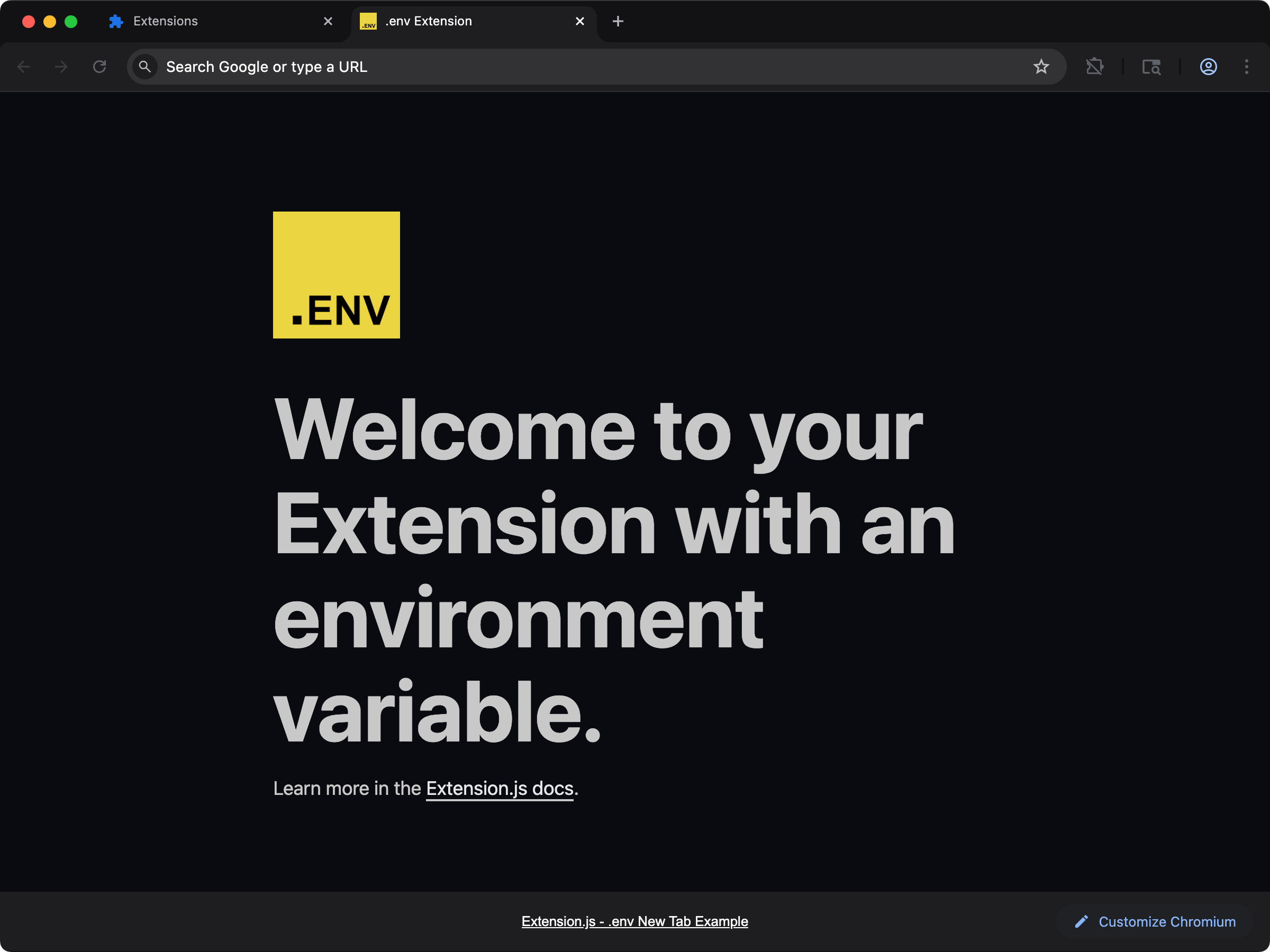 See environment variables in action with a new-tab extension that reads `EXTENSION_PUBLIC_*` values.
```bash npm theme={null}
npx extension@latest create my-extension --template=new-env
```
```bash pnpm theme={null}
pnpx extension@latest create my-extension --template=new-env
```
```bash yarn theme={null}
yarn dlx extension@latest create my-extension --template=new-env
```
```bash bun theme={null}
bunx extension@latest create my-extension --template=new-env
```
```bash deno theme={null}
deno run -A npm:extension@latest create my-extension --template=new-env
```
Repository: [extension-js/examples/new-env](https://github.com/extension-js/examples/tree/main/examples/new-env)
### `content-env`
See environment variables in action with a new-tab extension that reads `EXTENSION_PUBLIC_*` values.
```bash npm theme={null}
npx extension@latest create my-extension --template=new-env
```
```bash pnpm theme={null}
pnpx extension@latest create my-extension --template=new-env
```
```bash yarn theme={null}
yarn dlx extension@latest create my-extension --template=new-env
```
```bash bun theme={null}
bunx extension@latest create my-extension --template=new-env
```
```bash deno theme={null}
deno run -A npm:extension@latest create my-extension --template=new-env
```
Repository: [extension-js/examples/new-env](https://github.com/extension-js/examples/tree/main/examples/new-env)
### `content-env`
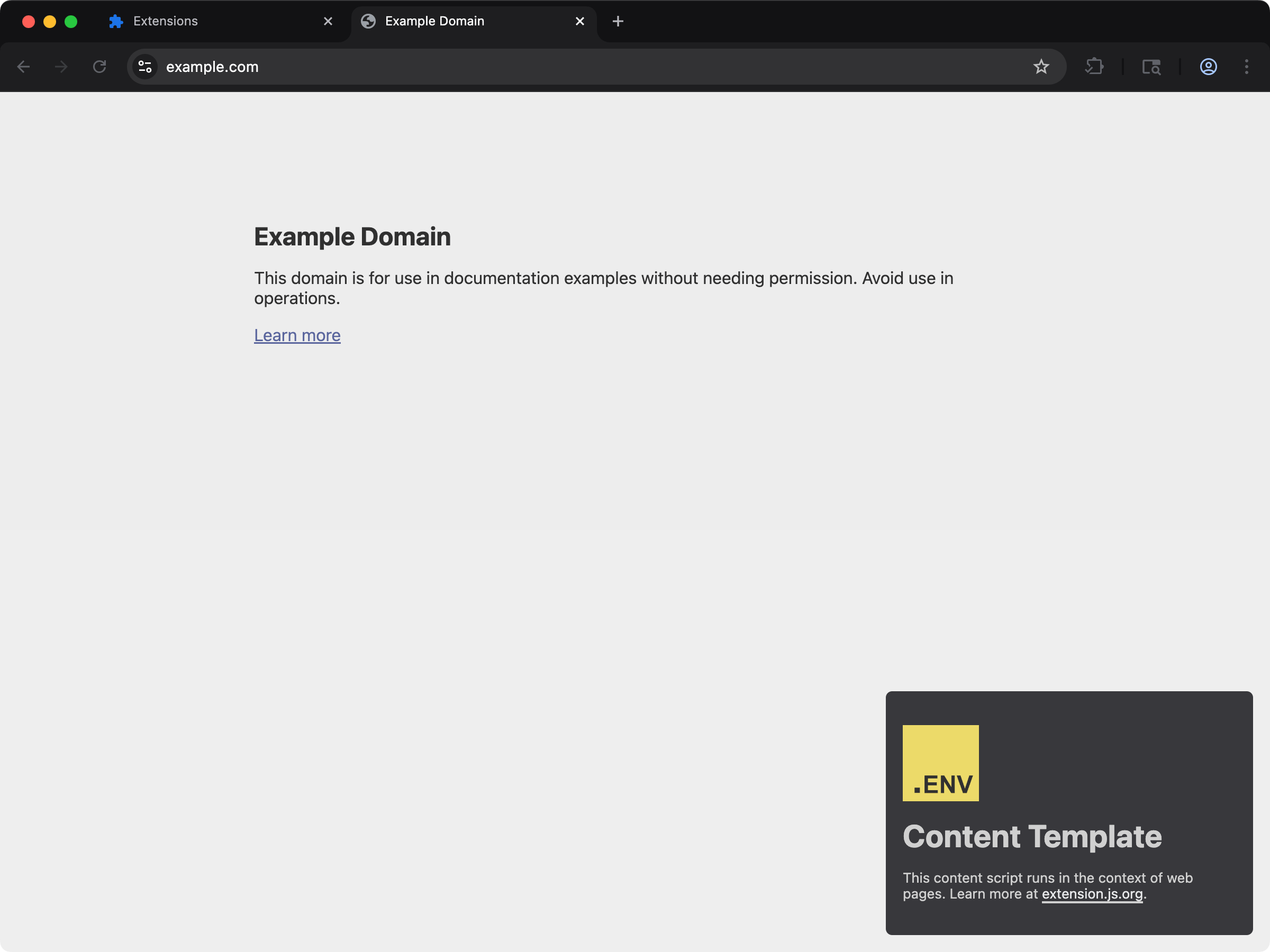 Use environment variables inside content scripts injected into web pages.
```bash npm theme={null}
npx extension@latest create my-extension --template=content-env
```
```bash pnpm theme={null}
pnpx extension@latest create my-extension --template=content-env
```
```bash yarn theme={null}
yarn dlx extension@latest create my-extension --template=content-env
```
```bash bun theme={null}
bunx extension@latest create my-extension --template=content-env
```
```bash deno theme={null}
deno run -A npm:extension@latest create my-extension --template=content-env
```
Repository: [extension-js/examples/content-env](https://github.com/extension-js/examples/tree/main/examples/content-env)
## How it works
### Extension bundles (compile time)
When building your extension, the compiler chooses **one** env file from your extension package folder by the first match in this order:
1. `.env.[browser].[mode]` (for example, `.env.chrome.development`)
2. `.env.[browser]`
3. Engine-family variants of the two above (see the note below)
4. `.env.[mode]`
5. `.env.local`
6. `.env`
Browser-scoped files resolve **per engine family**, matching [browser-specific manifest fields](/docs/features/browser-specific-fields). After the exact browser name, Chromium-family targets (`chromium`, `chrome`, `edge`, `chromium-based`, the Chromium forks, and Safari builds) also try `.env.chromium`, `.env.chrome`, `.env.edge`, and `.env.chromium-based` (each with their `.[mode]` variants first). Gecko-family targets also try `.env.firefox` and `.env.gecko-based`. A single `.env.chromium` file therefore covers a `chrome`, `edge`, or `brave` build, and an exact browser file always wins over family files.
Extension.js **always merges** `.env.defaults` first when present, then the selected file's variables. Finally, **system** `process.env` takes highest precedence for overlapping keys.
Selection is a **single** env file from the list above (plus `.env.defaults`),
not a full cascade through every file. `.env.example` is documentation only
and is never loaded as a value source.
If env files exist next to your project but none match the current browser and mode, the build prints a warning naming the files it found and the candidates it looked for, so a misspelled browser suffix fails loudly instead of silently shipping without values.
If no matching file exists next to the project, Extension.js repeats the same search from the **nearest workspace root**. That root is the closest ancestor folder containing `pnpm-workspace.yaml`. Extensions inside monorepos can share root-level env files for **bundle** injection.
**Monorepo constraint:** Workspace fallback only runs when a `pnpm-workspace.yaml` marker exists on an ancestor. If you use pure npm or Yarn workspaces that rely only on `package.json` `"workspaces"`, this automatic root lookup does not apply. In that case, keep env files beside the extension package, or add a `pnpm-workspace.yaml` at the repository root.
### `extension.config.*` (Node, before your configuration runs)
`extension.config.js` / `.mjs` / `.cjs` runs in Node. Before Extension.js evaluates the file, it preloads a **small** set of files into `process.env` so the configuration can read them:
1. `.env.defaults` (merged when present)
2. Then the **first** file that exists among: `.env.development`, `.env.local`, `.env`
Extension.js does **not** use browser-scoped files such as `.env.chrome` or `.env.chrome.development` for this preload step. Instead, set values through plain `process.env` in your shell or continuous integration (CI) pipeline.
You can also rely on bundle-time env (described above) to inject `EXTENSION_PUBLIC_*` values into extension code.
**Workspace fallback:** If none of those files exist in the extension package folder, the same preload runs from the nearest folder containing `pnpm-workspace.yaml` (same constraint as above).
This split exists because configuration loading is browser-agnostic at file-read time, while the bundler knows the active browser and mode.
## Built-in environment variables
Extension.js injects built-in variables at compile time, so browser and mode are always available in your extension code.
| Variable name | Description |
| -------------------------- | ----------------------------------------------------------------------------------------- |
| `EXTENSION_PUBLIC_BROWSER` | The current browser target for your extension (for example, `chrome`, `firefox`, `edge`). |
| `EXTENSION_PUBLIC_MODE` | The mode in which your extension is running, such as `development` or `production`. |
| `EXTENSION_BROWSER` | Browser target (non-legacy alias). |
| `EXTENSION_MODE` | Build mode (non-legacy alias). |
| `BROWSER` | Short browser alias. |
| `MODE` | Short mode alias. |
| `NODE_ENV` | Node environment aligned to compiler mode (`development` / `production`). |
All built-ins above are available through both `process.env.*` and `import.meta.env.*`.
## Environment variable inventory
### Public/runtime variables (user-defined)
| Variable pattern | Purpose | Available in JS runtime | Notes |
| -------------------- | -------------------------------------------- | --------------------------------------- | ------------------------ |
| `EXTENSION_PUBLIC_*` | Expose user-defined values to extension code | Yes (`process.env` + `import.meta.env`) | Safe-to-ship values only |
### Static placeholder variables
| Variable pattern | Purpose | Available in JS runtime | Notes |
| -------------------------------------------------- | --------------------------------------------------- | ----------------------- | --------------------------------------- |
| `$EXTENSION_*` tokens in emitted `.html` / `.json` | Build-time placeholder replacement in static assets | Not as JS vars | Avoid using secrets in static templates |
### Built-in/alias variables
| Variable | Type | Notes |
| -------------------------- | -------------- | ------------------ |
| `EXTENSION_PUBLIC_BROWSER` | built-in | Browser target |
| `EXTENSION_PUBLIC_MODE` | built-in | Build mode |
| `EXTENSION_BROWSER` | built-in alias | Browser target |
| `EXTENSION_MODE` | built-in alias | Build mode |
| `BROWSER` | built-in alias | Short browser name |
| `MODE` | built-in alias | Short mode name |
| `NODE_ENV` | built-in | Compiler mode |
### CLI and dev-server operational variables
| Variable | Purpose | Typical usage |
| -------------------------- | -------------------------------------------- | ----------------------------------------- |
| `EXTENSION_AUTO_EXIT_MS` | Auto-exit dev process after N ms | CI hard-stop control |
| `EXTENSION_FORCE_KILL_MS` | Force-kill timeout fallback | CI cleanup resilience |
| `EXTENSION_VERBOSE` | Verbose diagnostics in selected flows | Debugging CLI behavior |
| `EXTENSION_AUTHOR_MODE` | Maintainer/author diagnostics mode | Internal diagnostics and tooling |
| `EXTENSION_CLI_NO_BROWSER` | Disable browser launch from CLI (`1` to set) | Equivalent to `--no-browser` flag |
| `EXTENSION_DEV_NO_BROWSER` | Disable browser launch in dev server | Monorepo watch without browser spawns |
| `EXTENSION_NO_RELOAD` | Skip content-script reload runtime in dev | Equivalent to `extension dev --no-reload` |
| `EXTENSION_DEV_DRY_RUN` | Skip dev server startup (return early) | Smoke-testing CLI wiring |
| `EXT_BROWSERS_CACHE_DIR` | Override managed browser cache folder | Custom CI cache paths |
### Telemetry control variables
| Variable | Purpose | Default |
| --------------------------------- | ----------------------------------------------- | ------- |
| `EXTENSION_TELEMETRY_DISABLED` | Disable telemetry entirely (`1` to set) | unset |
| `EXTENSION_TELEMETRY` | Back-compat disable (`0` to disable) | unset |
| `EXTENSION_TELEMETRY_SAMPLE_RATE` | Sampling rate for `command_executed` (0.0–1.0) | `0.2` |
| `EXTENSION_TELEMETRY_MAX_EVENTS` | Maximum events emitted per CLI process | `3` |
| `EXTENSION_TELEMETRY_DEBOUNCE_MS` | Dedup window for identical event tuples (ms) | `60000` |
| `EXTENSION_TELEMETRY_TIMEOUT_MS` | HTTP timeout for telemetry requests (ms) | `300` |
| `EXTENSION_TELEMETRY_DEBUG` | Print telemetry payloads to stderr (`1` to set) | unset |
See [Telemetry and privacy](/docs/features/telemetry-and-privacy) for the full opt-out contract.
### Browser transport tuning variables
These variables override internal Chrome DevTools Protocol (CDP) and Remote Debugging Protocol (RDP) timeouts. They are useful for slow continuous integration (CI) environments, Docker containers, or debugging flaky browser connections.
| Variable | Purpose | Default |
| ------------------------------------- | --------------------------------------- | ------- |
| `EXTENSION_CDP_COMMAND_TIMEOUT_MS` | CDP sendCommand timeout (ms) | `12000` |
| `EXTENSION_CDP_HTTP_TIMEOUT_MS` | CDP HTTP `/json` discovery timeout (ms) | `1200` |
| `EXTENSION_CDP_HEARTBEAT_INTERVAL_MS` | CDP WebSocket heartbeat interval (ms) | `30000` |
| `EXTENSION_RDP_EVAL_TIMEOUT_MS` | Firefox RDP evaluation timeout (ms) | `8000` |
| `EXTENSION_RDP_MAX_RETRIES` | Firefox RDP connect retry count | `150` |
| `EXTENSION_RDP_RETRY_INTERVAL_MS` | Firefox RDP connect retry interval (ms) | `1000` |
## Browser-specific environment variables
The rules below apply to **compile-time / bundle** env selection (see [Extension bundles](#extension-bundles-compile-time) above). They do **not** apply to the narrow `extension.config.*` preload in Node.
Need different values per browser? Extension.js supports browser-scoped env files such as `.env.chrome` (Chrome extension environment variables) and `.env.firefox` (Firefox extension environment variables). You can also combine browser and mode for a single build variant:
* `.env.chrome.development`: Extension.js applies this only when running the extension in Chrome during development mode.
* `.env.firefox.production`: Extension.js applies this only when building the extension for Firefox in production mode.
Priority order is:
* `.env.[browser].[mode]`
* `.env.[browser]`
* Engine-family variants (for example, `.env.chromium` for any Chromium-family target)
* `.env.[mode]`
* `.env.local`
* `.env`
You rarely need one file per vendor. Because resolution is per engine family, `.env.chromium` covers `chrome`, `edge`, and the Chromium forks, and `.env.firefox` covers the Gecko forks. Add an exact browser file (such as `.env.edge`) only when one target needs different values from the rest of its family.
### Example files
```ini theme={null}
# .env.chrome.development
EXTENSION_PUBLIC_API_URL=https://api-dev.chrome.com
```
```ini theme={null}
# .env.firefox.production
EXTENSION_PUBLIC_API_URL=https://api.firefox.com
```
## Custom environment variables
You can define custom variables in env files at project root.\
Extension.js only injects variables prefixed with `EXTENSION_PUBLIC_` into JavaScript bundles (`process.env` / `import.meta.env`).
```ini theme={null}
# .env
EXTENSION_PUBLIC_API_KEY=your_api_key_here
EXTENSION_PUBLIC_SITE_URL=https://example.com
PRIVATE_KEY=abc123 # Not injected into JS bundles
```
**Important:** Extension.js does not inject variables without `EXTENSION_PUBLIC_` into JS bundles.\
However, placeholders in emitted `.json`/`.html` files can resolve `$EXTENSION_*` tokens, so avoid referencing secrets in static asset templates.
## Using environment variables
You can use environment variables in `manifest.json`, locales, HTML, and JavaScript/TypeScript files.
### 1. In `manifest.json`
`manifest.json` does not natively support environment variables, but Extension.js replaces supported placeholders during build. For example:
```json theme={null}
{
"name": "My Extension",
"version": "1.0",
"description": "This extension is connected to $EXTENSION_PUBLIC_API_KEY",
"background": {
"service_worker": "service_worker.js"
}
}
```
During compilation, Extension.js replaces `$EXTENSION_PUBLIC_API_KEY` with the resolved env value.
### 2. In locale files
You can also use placeholders in locale files when values should change by environment. For example:
```json theme={null}
{
"appName": {
"message": "My Extension - $EXTENSION_PUBLIC_SITE_URL"
},
"appDescription": {
"message": "Connected to API at $EXTENSION_PUBLIC_API_KEY"
}
}
```
When Extension.js emits assets, it replaces placeholders such as `$EXTENSION_PUBLIC_SITE_URL` with resolved values.
### 3. In HTML files
You can also use placeholders in static HTML files (for example, under `pages/`):
```html theme={null}
My Extension
Use environment variables inside content scripts injected into web pages.
```bash npm theme={null}
npx extension@latest create my-extension --template=content-env
```
```bash pnpm theme={null}
pnpx extension@latest create my-extension --template=content-env
```
```bash yarn theme={null}
yarn dlx extension@latest create my-extension --template=content-env
```
```bash bun theme={null}
bunx extension@latest create my-extension --template=content-env
```
```bash deno theme={null}
deno run -A npm:extension@latest create my-extension --template=content-env
```
Repository: [extension-js/examples/content-env](https://github.com/extension-js/examples/tree/main/examples/content-env)
## How it works
### Extension bundles (compile time)
When building your extension, the compiler chooses **one** env file from your extension package folder by the first match in this order:
1. `.env.[browser].[mode]` (for example, `.env.chrome.development`)
2. `.env.[browser]`
3. Engine-family variants of the two above (see the note below)
4. `.env.[mode]`
5. `.env.local`
6. `.env`
Browser-scoped files resolve **per engine family**, matching [browser-specific manifest fields](/docs/features/browser-specific-fields). After the exact browser name, Chromium-family targets (`chromium`, `chrome`, `edge`, `chromium-based`, the Chromium forks, and Safari builds) also try `.env.chromium`, `.env.chrome`, `.env.edge`, and `.env.chromium-based` (each with their `.[mode]` variants first). Gecko-family targets also try `.env.firefox` and `.env.gecko-based`. A single `.env.chromium` file therefore covers a `chrome`, `edge`, or `brave` build, and an exact browser file always wins over family files.
Extension.js **always merges** `.env.defaults` first when present, then the selected file's variables. Finally, **system** `process.env` takes highest precedence for overlapping keys.
Selection is a **single** env file from the list above (plus `.env.defaults`),
not a full cascade through every file. `.env.example` is documentation only
and is never loaded as a value source.
If env files exist next to your project but none match the current browser and mode, the build prints a warning naming the files it found and the candidates it looked for, so a misspelled browser suffix fails loudly instead of silently shipping without values.
If no matching file exists next to the project, Extension.js repeats the same search from the **nearest workspace root**. That root is the closest ancestor folder containing `pnpm-workspace.yaml`. Extensions inside monorepos can share root-level env files for **bundle** injection.
**Monorepo constraint:** Workspace fallback only runs when a `pnpm-workspace.yaml` marker exists on an ancestor. If you use pure npm or Yarn workspaces that rely only on `package.json` `"workspaces"`, this automatic root lookup does not apply. In that case, keep env files beside the extension package, or add a `pnpm-workspace.yaml` at the repository root.
### `extension.config.*` (Node, before your configuration runs)
`extension.config.js` / `.mjs` / `.cjs` runs in Node. Before Extension.js evaluates the file, it preloads a **small** set of files into `process.env` so the configuration can read them:
1. `.env.defaults` (merged when present)
2. Then the **first** file that exists among: `.env.development`, `.env.local`, `.env`
Extension.js does **not** use browser-scoped files such as `.env.chrome` or `.env.chrome.development` for this preload step. Instead, set values through plain `process.env` in your shell or continuous integration (CI) pipeline.
You can also rely on bundle-time env (described above) to inject `EXTENSION_PUBLIC_*` values into extension code.
**Workspace fallback:** If none of those files exist in the extension package folder, the same preload runs from the nearest folder containing `pnpm-workspace.yaml` (same constraint as above).
This split exists because configuration loading is browser-agnostic at file-read time, while the bundler knows the active browser and mode.
## Built-in environment variables
Extension.js injects built-in variables at compile time, so browser and mode are always available in your extension code.
| Variable name | Description |
| -------------------------- | ----------------------------------------------------------------------------------------- |
| `EXTENSION_PUBLIC_BROWSER` | The current browser target for your extension (for example, `chrome`, `firefox`, `edge`). |
| `EXTENSION_PUBLIC_MODE` | The mode in which your extension is running, such as `development` or `production`. |
| `EXTENSION_BROWSER` | Browser target (non-legacy alias). |
| `EXTENSION_MODE` | Build mode (non-legacy alias). |
| `BROWSER` | Short browser alias. |
| `MODE` | Short mode alias. |
| `NODE_ENV` | Node environment aligned to compiler mode (`development` / `production`). |
All built-ins above are available through both `process.env.*` and `import.meta.env.*`.
## Environment variable inventory
### Public/runtime variables (user-defined)
| Variable pattern | Purpose | Available in JS runtime | Notes |
| -------------------- | -------------------------------------------- | --------------------------------------- | ------------------------ |
| `EXTENSION_PUBLIC_*` | Expose user-defined values to extension code | Yes (`process.env` + `import.meta.env`) | Safe-to-ship values only |
### Static placeholder variables
| Variable pattern | Purpose | Available in JS runtime | Notes |
| -------------------------------------------------- | --------------------------------------------------- | ----------------------- | --------------------------------------- |
| `$EXTENSION_*` tokens in emitted `.html` / `.json` | Build-time placeholder replacement in static assets | Not as JS vars | Avoid using secrets in static templates |
### Built-in/alias variables
| Variable | Type | Notes |
| -------------------------- | -------------- | ------------------ |
| `EXTENSION_PUBLIC_BROWSER` | built-in | Browser target |
| `EXTENSION_PUBLIC_MODE` | built-in | Build mode |
| `EXTENSION_BROWSER` | built-in alias | Browser target |
| `EXTENSION_MODE` | built-in alias | Build mode |
| `BROWSER` | built-in alias | Short browser name |
| `MODE` | built-in alias | Short mode name |
| `NODE_ENV` | built-in | Compiler mode |
### CLI and dev-server operational variables
| Variable | Purpose | Typical usage |
| -------------------------- | -------------------------------------------- | ----------------------------------------- |
| `EXTENSION_AUTO_EXIT_MS` | Auto-exit dev process after N ms | CI hard-stop control |
| `EXTENSION_FORCE_KILL_MS` | Force-kill timeout fallback | CI cleanup resilience |
| `EXTENSION_VERBOSE` | Verbose diagnostics in selected flows | Debugging CLI behavior |
| `EXTENSION_AUTHOR_MODE` | Maintainer/author diagnostics mode | Internal diagnostics and tooling |
| `EXTENSION_CLI_NO_BROWSER` | Disable browser launch from CLI (`1` to set) | Equivalent to `--no-browser` flag |
| `EXTENSION_DEV_NO_BROWSER` | Disable browser launch in dev server | Monorepo watch without browser spawns |
| `EXTENSION_NO_RELOAD` | Skip content-script reload runtime in dev | Equivalent to `extension dev --no-reload` |
| `EXTENSION_DEV_DRY_RUN` | Skip dev server startup (return early) | Smoke-testing CLI wiring |
| `EXT_BROWSERS_CACHE_DIR` | Override managed browser cache folder | Custom CI cache paths |
### Telemetry control variables
| Variable | Purpose | Default |
| --------------------------------- | ----------------------------------------------- | ------- |
| `EXTENSION_TELEMETRY_DISABLED` | Disable telemetry entirely (`1` to set) | unset |
| `EXTENSION_TELEMETRY` | Back-compat disable (`0` to disable) | unset |
| `EXTENSION_TELEMETRY_SAMPLE_RATE` | Sampling rate for `command_executed` (0.0–1.0) | `0.2` |
| `EXTENSION_TELEMETRY_MAX_EVENTS` | Maximum events emitted per CLI process | `3` |
| `EXTENSION_TELEMETRY_DEBOUNCE_MS` | Dedup window for identical event tuples (ms) | `60000` |
| `EXTENSION_TELEMETRY_TIMEOUT_MS` | HTTP timeout for telemetry requests (ms) | `300` |
| `EXTENSION_TELEMETRY_DEBUG` | Print telemetry payloads to stderr (`1` to set) | unset |
See [Telemetry and privacy](/docs/features/telemetry-and-privacy) for the full opt-out contract.
### Browser transport tuning variables
These variables override internal Chrome DevTools Protocol (CDP) and Remote Debugging Protocol (RDP) timeouts. They are useful for slow continuous integration (CI) environments, Docker containers, or debugging flaky browser connections.
| Variable | Purpose | Default |
| ------------------------------------- | --------------------------------------- | ------- |
| `EXTENSION_CDP_COMMAND_TIMEOUT_MS` | CDP sendCommand timeout (ms) | `12000` |
| `EXTENSION_CDP_HTTP_TIMEOUT_MS` | CDP HTTP `/json` discovery timeout (ms) | `1200` |
| `EXTENSION_CDP_HEARTBEAT_INTERVAL_MS` | CDP WebSocket heartbeat interval (ms) | `30000` |
| `EXTENSION_RDP_EVAL_TIMEOUT_MS` | Firefox RDP evaluation timeout (ms) | `8000` |
| `EXTENSION_RDP_MAX_RETRIES` | Firefox RDP connect retry count | `150` |
| `EXTENSION_RDP_RETRY_INTERVAL_MS` | Firefox RDP connect retry interval (ms) | `1000` |
## Browser-specific environment variables
The rules below apply to **compile-time / bundle** env selection (see [Extension bundles](#extension-bundles-compile-time) above). They do **not** apply to the narrow `extension.config.*` preload in Node.
Need different values per browser? Extension.js supports browser-scoped env files such as `.env.chrome` (Chrome extension environment variables) and `.env.firefox` (Firefox extension environment variables). You can also combine browser and mode for a single build variant:
* `.env.chrome.development`: Extension.js applies this only when running the extension in Chrome during development mode.
* `.env.firefox.production`: Extension.js applies this only when building the extension for Firefox in production mode.
Priority order is:
* `.env.[browser].[mode]`
* `.env.[browser]`
* Engine-family variants (for example, `.env.chromium` for any Chromium-family target)
* `.env.[mode]`
* `.env.local`
* `.env`
You rarely need one file per vendor. Because resolution is per engine family, `.env.chromium` covers `chrome`, `edge`, and the Chromium forks, and `.env.firefox` covers the Gecko forks. Add an exact browser file (such as `.env.edge`) only when one target needs different values from the rest of its family.
### Example files
```ini theme={null}
# .env.chrome.development
EXTENSION_PUBLIC_API_URL=https://api-dev.chrome.com
```
```ini theme={null}
# .env.firefox.production
EXTENSION_PUBLIC_API_URL=https://api.firefox.com
```
## Custom environment variables
You can define custom variables in env files at project root.\
Extension.js only injects variables prefixed with `EXTENSION_PUBLIC_` into JavaScript bundles (`process.env` / `import.meta.env`).
```ini theme={null}
# .env
EXTENSION_PUBLIC_API_KEY=your_api_key_here
EXTENSION_PUBLIC_SITE_URL=https://example.com
PRIVATE_KEY=abc123 # Not injected into JS bundles
```
**Important:** Extension.js does not inject variables without `EXTENSION_PUBLIC_` into JS bundles.\
However, placeholders in emitted `.json`/`.html` files can resolve `$EXTENSION_*` tokens, so avoid referencing secrets in static asset templates.
## Using environment variables
You can use environment variables in `manifest.json`, locales, HTML, and JavaScript/TypeScript files.
### 1. In `manifest.json`
`manifest.json` does not natively support environment variables, but Extension.js replaces supported placeholders during build. For example:
```json theme={null}
{
"name": "My Extension",
"version": "1.0",
"description": "This extension is connected to $EXTENSION_PUBLIC_API_KEY",
"background": {
"service_worker": "service_worker.js"
}
}
```
During compilation, Extension.js replaces `$EXTENSION_PUBLIC_API_KEY` with the resolved env value.
### 2. In locale files
You can also use placeholders in locale files when values should change by environment. For example:
```json theme={null}
{
"appName": {
"message": "My Extension - $EXTENSION_PUBLIC_SITE_URL"
},
"appDescription": {
"message": "Connected to API at $EXTENSION_PUBLIC_API_KEY"
}
}
```
When Extension.js emits assets, it replaces placeholders such as `$EXTENSION_PUBLIC_SITE_URL` with resolved values.
### 3. In HTML files
You can also use placeholders in static HTML files (for example, under `pages/`):
```html theme={null}
My Extension
Welcome to My Extension
API Key: $EXTENSION_PUBLIC_API_KEY
```
During compilation, Extension.js replaces `$EXTENSION_PUBLIC_API_KEY` in the output HTML.
### 4. In JSX components
In React/JSX/TS files, read env values with `process.env`:
```jsx theme={null}
const ApiInfo = () => {
const apiUrl = process.env.EXTENSION_PUBLIC_SITE_URL;
const apiKey = process.env.EXTENSION_PUBLIC_API_KEY;
return (
API Information
URL: {apiUrl}
Key: {apiKey}
);
};
export default ApiInfo;
```
Extension.js inlines these values at compile time, and they can vary by browser/mode.
## `import.meta` support
For ECMAScript Module (ESM) workflows, Extension.js also supports `import.meta.env`:
```js title="service_worker.mjs" theme={null}
const apiUrl = import.meta.env.EXTENSION_PUBLIC_API_URL;
console.log(`API URL for the current environment: ${apiUrl}`);
```
`import.meta.env` and `process.env` have parity for injected env keys.
Reading a key that no env file defines yields `undefined` instead of crashing: Extension.js defines the bare `import.meta.env` as an object of every injected variable (Vite parity), so `import.meta.env.MISSING_KEY` and destructuring like `const {FOO} = import.meta.env` are both safe in any output format.
## Secrets in browser extension builds
Browser extensions run on your users' machines. Anyone who installs your extension can inspect any value you bundle into JavaScript, HTML, or the compiled `manifest.json`. Treat the bundle as public.
A few rules to follow:
* Never put API secrets, signing keys, or auth tokens behind `EXTENSION_PUBLIC_*`. The prefix exists to mark a value as safe to ship, not to hide it.
* Avoid `$EXTENSION_*` placeholders in static `manifest.json`, locale, or HTML templates when the value is sensitive. Those expand at build time and end up in the artifact.
* Move anything privileged behind a backend you own and call it from the extension at runtime.
* For continuous integration (CI), keep build secrets in `process.env` (not committed env files) and rely on `.env.defaults` for safe shared values.
## Best practices
* **Expose only what must ship:** Prefix only client-safe keys with `EXTENSION_PUBLIC_`.
* **Use `.env.defaults` for shared defaults:** Keep predictable team defaults while allowing local/system overrides.
* **Keep secrets out of static placeholders:** Avoid putting secret `$EXTENSION_*` tokens in HTML/JSON templates.
* **Version control hygiene:** Commit `.env.example` as documentation (the build never reads it as a value source) and ignore real env files (`.env`, `.env.local`, browser/mode variants).
## Next steps
* Review browser targeting in [Browsers available](/docs/browsers/browsers-available).
* Configure shared defaults in [`extension.config.js`](/docs/features/extension-configuration).
* Build for release with [`extension build`](/docs/commands/build).