> ## Documentation Index
> Fetch the complete documentation index at: https://extension.js.org/llms.txt
> Use this file to discover all available pages before exploring further.
# Cross-browser extension development for Chrome and Firefox
> Ship one extension to Chrome, Edge, and Firefox from a single project. Extension.js handles browser-specific manifest fields and build output for each target.
Extension.js handles browser-specific setup during development and build. You
produce runtime-correct outputs for Chromium and Gecko (Firefox engine) targets
from one project.
## Cross-browser extension development
Cross-browser extension development means writing one extension that ships to Chrome, Edge, and Firefox without forking the codebase. Extension.js compiles a single project into per-browser artifacts (`dist/chrome`, `dist/edge`, `dist/firefox`) and filters the manifest for the active target. The reload loop, runtime APIs, and packaging all match the browser you are debugging.
Use one `manifest.json` and target specific browsers or custom binaries. Enable polyfills when you need `browser.*` API compatibility in Chromium-family targets.
## Chrome and Firefox extension compatibility
Chrome and Firefox extensions share most of the WebExtensions surface but differ in three places that matter every day:
* **Background scripts:** Chrome (Manifest V3) requires `background.service_worker`. Firefox uses `background.scripts` with non-persistent event pages. Extension.js routes both from one prefixed manifest.
* **Runtime API namespace:** Firefox supports `browser.*` natively. Chromium uses `chrome.*`. Pass `--polyfill` to bridge the gap on Chromium targets.
* **Permissions and content security policy (CSP):** Browsers evaluate some `permissions` and `host_permissions` entries differently. Keep browser-specific values behind prefixed manifest keys instead of feature-detecting at runtime.
## Browser-specific manifest fields
Browser-specific manifest fields are how Extension.js keeps a single `manifest.json` working across browsers. At compile time, Extension.js filters prefixed keys (`chromium:`, `chrome:`, `edge:`, `firefox:`, `gecko:`) to the active target. Unprefixed keys apply everywhere. See [Browser-specific manifest fields](/docs/features/browser-specific-fields) for the full prefix list.
## Template examples
### `action`
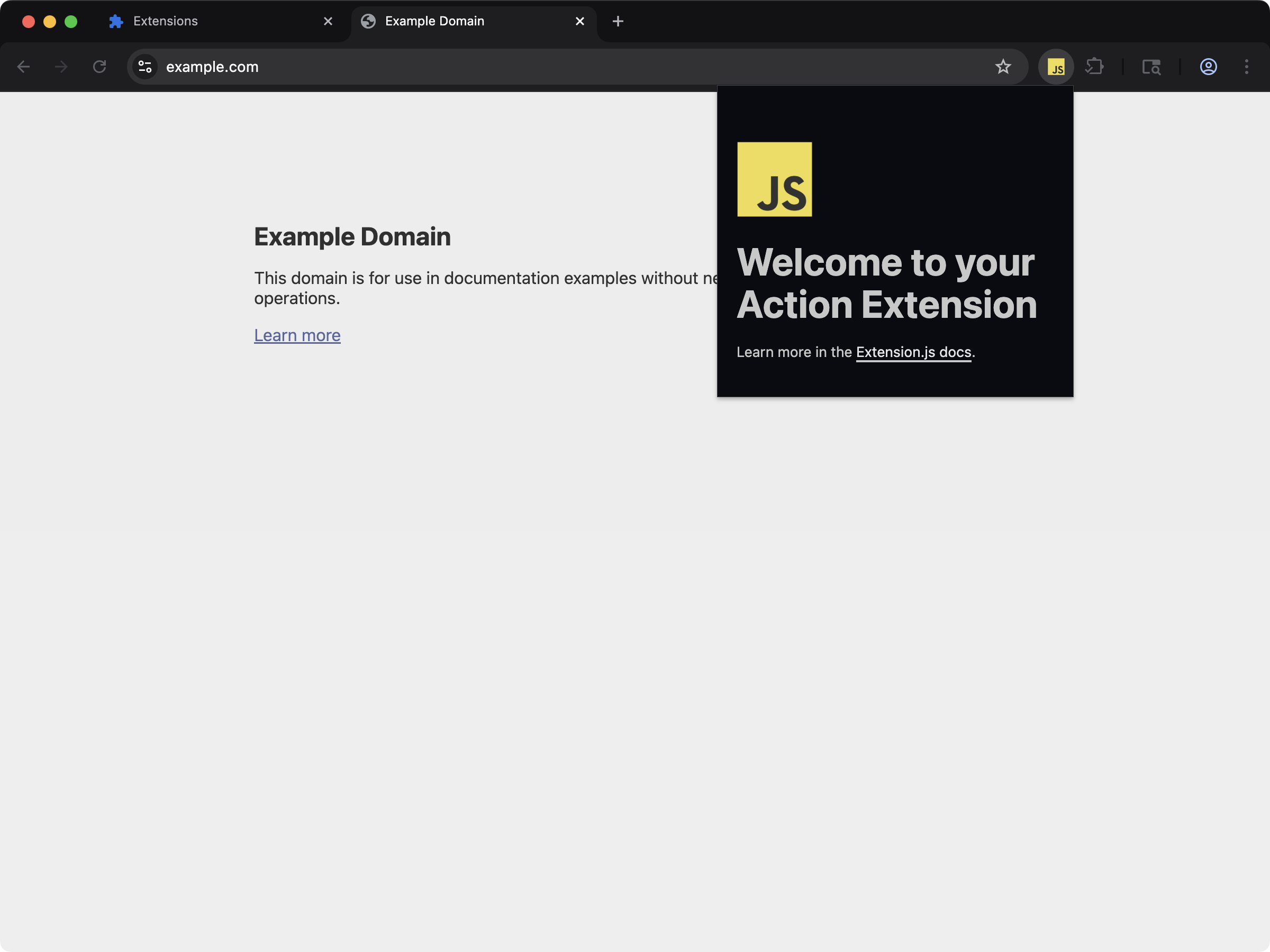 Try cross-browser compatibility with an action popup that runs in Chrome, Firefox, and Edge.
```bash npm theme={null}
npx extension@latest create my-extension --template=action
```
```bash pnpm theme={null}
pnpx extension@latest create my-extension --template=action
```
```bash yarn theme={null}
yarn dlx extension@latest create my-extension --template=action
```
```bash bun theme={null}
bunx extension@latest create my-extension --template=action
```
```bash deno theme={null}
deno run -A npm:extension@latest create my-extension --template=action
```
Repository: [extension-js/examples/action](https://github.com/extension-js/examples/tree/main/examples/action)
## How it works
### 1) Choose a browser target
Choose where you want to run your extension.
Use `--browser` for common targets, or pass a custom browser binary.
```bash npm theme={null}
extension dev --browser firefox
```
```bash pnpm theme={null}
extension dev --browser firefox
```
```bash yarn theme={null}
extension dev --browser firefox
```
```bash bun theme={null}
extension dev --browser firefox
```
```bash deno theme={null}
extension dev --browser firefox
```
```bash npm theme={null}
extension dev --chromium-binary /Applications/Brave\\ Browser.app/Contents/MacOS/Brave\\ Browser
```
```bash pnpm theme={null}
extension dev --chromium-binary /Applications/Brave\\ Browser.app/Contents/MacOS/Brave\\ Browser
```
```bash yarn theme={null}
extension dev --chromium-binary /Applications/Brave\\ Browser.app/Contents/MacOS/Brave\\ Browser
```
```bash bun theme={null}
extension dev --chromium-binary /Applications/Brave\\ Browser.app/Contents/MacOS/Brave\\ Browser
```
```bash deno theme={null}
extension dev --chromium-binary /Applications/Brave\\ Browser.app/Contents/MacOS/Brave\\ Browser
```
Use a binary path that matches your OS:
* **macOS**: `/Applications/Brave Browser.app/Contents/MacOS/Brave Browser`
* **Linux**: `/usr/bin/brave-browser` (or another Chromium-based browser binary)
* **Windows**: `"C:\\Program Files\\BraveSoftware\\Brave-Browser\\Application\\brave.exe"`
When you pass a binary, Extension.js maps it to a browser engine target:
* `chromium-based` for `--chromium-binary`
* `gecko-based` for `--gecko-binary`
### 2) Compile with browser-specific manifest filtering
During compilation, Extension.js includes only the manifest fields for your selected browser.
For example:
```json theme={null}
{
"chromium:background": {
"service_worker": "sw.js"
},
"firefox:background": {
"scripts": ["sw.js"]
}
}
```
For Chromium-family targets, Extension.js uses prefixes like `chromium:`, `chrome:`, and `edge:`.\
For Firefox-family targets, Extension.js uses `firefox:` and `gecko:`.
See [Browser-specific manifest fields](/docs/features/browser-specific-fields)
for full details on prefixed manifest fields.
### 3) Output per browser target
Extension.js writes each target to its own build folder:
* `dist/chrome`
* `dist/edge`
* `dist/firefox`
* `dist/chromium-based` (custom Chromium engines)
* `dist/gecko-based` (custom Gecko engines)
This keeps your builds organized and easier to ship in CI.
### 4) Optional `browser.*` polyfill for Chromium targets
If your code uses `browser.*`, enable `--polyfill` for Chromium-family targets:
```bash npm theme={null}
extension build --browser chrome --polyfill
```
```bash pnpm theme={null}
extension build --browser chrome --polyfill
```
```bash yarn theme={null}
extension build --browser chrome --polyfill
```
```bash bun theme={null}
extension build --browser chrome --polyfill
```
```bash deno theme={null}
extension build --browser chrome --polyfill
```
When enabled, Extension.js uses `webextension-polyfill` (Mozilla's `browser.*` compatibility library) for non-Firefox targets.\
Extension.js skips this step for Firefox because Firefox already supports `browser.*` natively.
## Best practices
* **Keep one codebase**: Put browser differences in prefixed manifest fields when possible.
* **Build one target at a time**: Generate dedicated artifacts (`dist/`) for each browser in continuous integration (CI).
* **Use `--polyfill` when needed**: Enable it only when your code depends on `browser.*` in Chromium-family targets.
* **Check API support early**: Use [MDN WebExtensions docs](https://developer.mozilla.org/en-US/docs/Mozilla/Add-ons/WebExtensions) before relying on browser-specific APIs.
## Next steps
* Learn more about the [Browsers available](/docs/browsers/browsers-available).
* Learn more about [Browser-specific manifest fields](/docs/features/browser-specific-fields).
Try cross-browser compatibility with an action popup that runs in Chrome, Firefox, and Edge.
```bash npm theme={null}
npx extension@latest create my-extension --template=action
```
```bash pnpm theme={null}
pnpx extension@latest create my-extension --template=action
```
```bash yarn theme={null}
yarn dlx extension@latest create my-extension --template=action
```
```bash bun theme={null}
bunx extension@latest create my-extension --template=action
```
```bash deno theme={null}
deno run -A npm:extension@latest create my-extension --template=action
```
Repository: [extension-js/examples/action](https://github.com/extension-js/examples/tree/main/examples/action)
## How it works
### 1) Choose a browser target
Choose where you want to run your extension.
Use `--browser` for common targets, or pass a custom browser binary.
```bash npm theme={null}
extension dev --browser firefox
```
```bash pnpm theme={null}
extension dev --browser firefox
```
```bash yarn theme={null}
extension dev --browser firefox
```
```bash bun theme={null}
extension dev --browser firefox
```
```bash deno theme={null}
extension dev --browser firefox
```
```bash npm theme={null}
extension dev --chromium-binary /Applications/Brave\\ Browser.app/Contents/MacOS/Brave\\ Browser
```
```bash pnpm theme={null}
extension dev --chromium-binary /Applications/Brave\\ Browser.app/Contents/MacOS/Brave\\ Browser
```
```bash yarn theme={null}
extension dev --chromium-binary /Applications/Brave\\ Browser.app/Contents/MacOS/Brave\\ Browser
```
```bash bun theme={null}
extension dev --chromium-binary /Applications/Brave\\ Browser.app/Contents/MacOS/Brave\\ Browser
```
```bash deno theme={null}
extension dev --chromium-binary /Applications/Brave\\ Browser.app/Contents/MacOS/Brave\\ Browser
```
Use a binary path that matches your OS:
* **macOS**: `/Applications/Brave Browser.app/Contents/MacOS/Brave Browser`
* **Linux**: `/usr/bin/brave-browser` (or another Chromium-based browser binary)
* **Windows**: `"C:\\Program Files\\BraveSoftware\\Brave-Browser\\Application\\brave.exe"`
When you pass a binary, Extension.js maps it to a browser engine target:
* `chromium-based` for `--chromium-binary`
* `gecko-based` for `--gecko-binary`
### 2) Compile with browser-specific manifest filtering
During compilation, Extension.js includes only the manifest fields for your selected browser.
For example:
```json theme={null}
{
"chromium:background": {
"service_worker": "sw.js"
},
"firefox:background": {
"scripts": ["sw.js"]
}
}
```
For Chromium-family targets, Extension.js uses prefixes like `chromium:`, `chrome:`, and `edge:`.\
For Firefox-family targets, Extension.js uses `firefox:` and `gecko:`.
See [Browser-specific manifest fields](/docs/features/browser-specific-fields)
for full details on prefixed manifest fields.
### 3) Output per browser target
Extension.js writes each target to its own build folder:
* `dist/chrome`
* `dist/edge`
* `dist/firefox`
* `dist/chromium-based` (custom Chromium engines)
* `dist/gecko-based` (custom Gecko engines)
This keeps your builds organized and easier to ship in CI.
### 4) Optional `browser.*` polyfill for Chromium targets
If your code uses `browser.*`, enable `--polyfill` for Chromium-family targets:
```bash npm theme={null}
extension build --browser chrome --polyfill
```
```bash pnpm theme={null}
extension build --browser chrome --polyfill
```
```bash yarn theme={null}
extension build --browser chrome --polyfill
```
```bash bun theme={null}
extension build --browser chrome --polyfill
```
```bash deno theme={null}
extension build --browser chrome --polyfill
```
When enabled, Extension.js uses `webextension-polyfill` (Mozilla's `browser.*` compatibility library) for non-Firefox targets.\
Extension.js skips this step for Firefox because Firefox already supports `browser.*` natively.
## Best practices
* **Keep one codebase**: Put browser differences in prefixed manifest fields when possible.
* **Build one target at a time**: Generate dedicated artifacts (`dist/`) for each browser in continuous integration (CI).
* **Use `--polyfill` when needed**: Enable it only when your code depends on `browser.*` in Chromium-family targets.
* **Check API support early**: Use [MDN WebExtensions docs](https://developer.mozilla.org/en-US/docs/Mozilla/Add-ons/WebExtensions) before relying on browser-specific APIs.
## Next steps
* Learn more about the [Browsers available](/docs/browsers/browsers-available).
* Learn more about [Browser-specific manifest fields](/docs/features/browser-specific-fields).